
Best AI tools for bloggers, The blogging industry is changing rapidly, and Artificial Intelligence (AI) has become an important part of modern content creation. From researching new topics to writing articles, improving SEO, editing content, and generating creative ideas, AI-powered tools are helping bloggers manage their work more efficiently. Instead of spending hours on repetitive tasks, bloggers can use these tools to save time and focus more on creating valuable content for their readers.
Today, AI tools for bloggers are useful for both beginners and experienced content creators. New bloggers can use AI to find blog topics, create content outlines, understand search intent, and improve their writing skills. Professional bloggers can take advantage of advanced AI features for keyword research, content optimization, competitor analysis, proofreading, and marketing strategies.
Another major advantage of AI is that it can support different stages of the blogging process. For example, some tools help generate fresh content ideas, while others assist with grammar correction, SEO recommendations, image creation, and social media content. Choosing the right tools can make your blogging workflow more organized and productive.
However, AI should be treated as an assistant rather than a complete replacement for human creativity. Bloggers should always review AI-generated information, verify facts, add their own experience, and make sure the final content provides genuine value to readers.
In this guide, we will explore the 15 best AI tools for bloggers in 2026, including their key features, pricing, benefits, and practical use cases. Whether you are starting your first blog, managing multiple websites, or looking for ways to improve your content strategy, this comparison will help you identify the right AI tools for your blogging needs.
Quick Comparison: 15 Best AI Tools for Bloggers in 2026
Choosing the right AI tool can make blogging easier, especially when you need to manage content research, writing, SEO, editing, and visual design. However, every tool serves a different purpose. Some are designed to generate blog posts and creative ideas, while others focus on keyword research, content optimization, grammar correction, and marketing.
To help you find the right option, we have compared 15 of the best AI tools for bloggers in 2026 based on their primary use cases. This quick comparison will help beginners and professional bloggers understand which tool may fit their content creation workflow.
| AI Tool | Best For | Main Use |
|---|---|---|
| ChatGPT | Content ideas and writing | Blog outlines, drafts, FAQs, and brainstorming |
| Claude | Long-form content | Detailed articles, editing, and content restructuring |
| Google Gemini | Research and brainstorming | Topic exploration, ideas, and writing assistance |
| Jasper AI | Marketing content | Promotional content, brand voice, and campaigns |
| Copy.ai | Marketing copy | Product descriptions, sales copy, and social posts |
| Writesonic | AI blog writing | Article generation and SEO content assistance |
| Surfer SEO | Content optimization | On-page SEO recommendations and content analysis |
| Frase | SEO content research | SERP research, content briefs, and optimization |
| Grammarly | Grammar and editing | Grammar, spelling, clarity, and writing improvements |
| QuillBot | Paraphrasing and rewriting | Sentence rewriting, summarization, and proofreading |
| Canva AI | Blog graphics | Featured images, graphics, and visual content |
| Perplexity AI | Research and sources | Topic research and source discovery |
| Rytr | Budget-friendly writing | Short-form content and basic AI writing |
| Semrush AI features | SEO and keyword research | Keyword discovery, competitor research, and SEO workflows |
| Notion AI | Content planning and organization | Editorial calendars, notes, and content management |
How to Choose the Right AI Blogging Tool?
Before selecting an AI tool, consider what you actually need for your blog. If your main challenge is writing articles, ChatGPT, Claude, or Writesonic may be useful starting points. For SEO-focused bloggers, Surfer SEO, Frase, and Semrush offer features that support content optimization and keyword research.
Similarly, Grammarly and QuillBot can help improve readability, while Canva AI is useful for creating attractive blog graphics. If you regularly research topics and collect information from different sources, Perplexity AI and Google Gemini can support your research workflow.
Our suggestion: You do not need to purchase all 15 tools. Start with a few tools that solve your biggest blogging challenges, compare their free and paid features, and expand your toolkit as your website grows.
Note: The comparison highlights each platform’s primary use case. Features, subscription plans, and usage limits may change, so check the official websites before purchasing.
Detailed Review: 15 Best AI Tools for Bloggers in 2026
AI technology has made content creation easier by helping bloggers handle tasks such as topic research, article writing, SEO planning, and content editing. However, choosing the right platform is important because every AI tool offers different features and serves a different purpose.
In this section, we will explore the 15 best AI tools for bloggers in 2026, starting with ChatGPT. We will look at their features, practical uses, pricing options, advantages, and limitations so you can decide which tool is suitable for your blogging requirements.
ChatGPT – Best Overall AI Tool for Bloggers
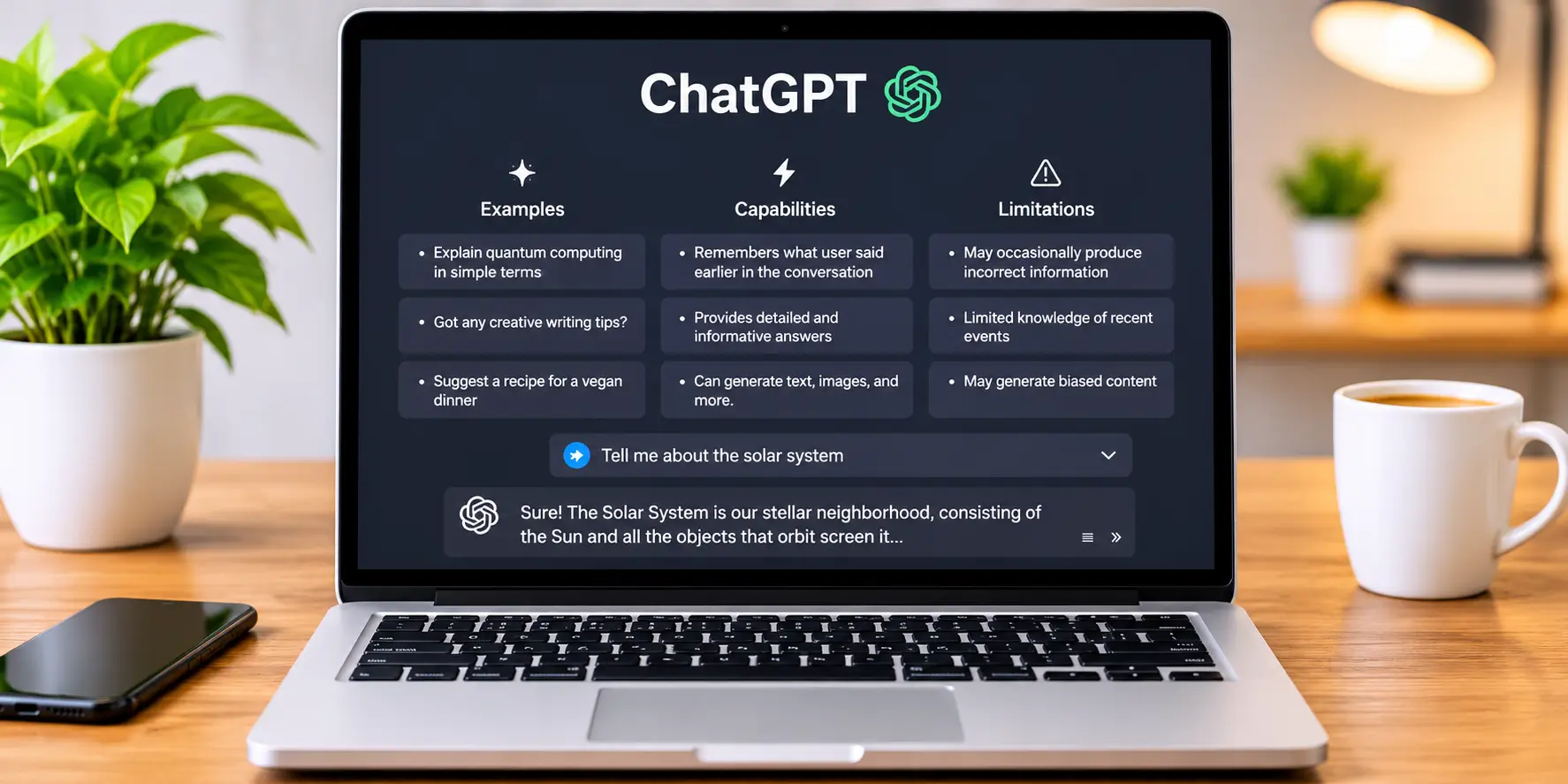
ChatGPT is one of the most popular AI-powered assistants for content creators, website owners, and digital marketers. Developed by OpenAI, it helps users generate ideas, write articles, organize information, improve existing content, and complete different writing tasks through simple instructions.
For bloggers, ChatGPT can be useful throughout the content creation process. Whether you are planning a new blog post, preparing an SEO-friendly outline, writing an introduction, or creating meta descriptions, it can help reduce the time spent on repetitive tasks.
One of the biggest advantages of ChatGPT is its flexibility. Instead of using separate tools for every writing task, bloggers can use one platform for brainstorming, drafting, rewriting, summarizing, and content planning.
Key Features of ChatGPT for Bloggers
ChatGPT offers several features that can support a blogger’s daily workflow:
- AI Content Generation: Helps create blog drafts, introductions, conclusions, FAQs, and website content.
- Topic Research: Suggests blog topics, related subjects, and content ideas for different niches.
- SEO Content Assistance: Helps develop keyword-focused headings, meta descriptions, FAQs, and content outlines.
- Content Rewriting: Improves sentence structure, readability, tone, and clarity.
- Content Summarization: Converts lengthy information into shorter and easier-to-understand explanations.
- File Analysis: Helps review uploaded documents and extract useful information.
- Image Generation: Can help create original visual content for blog articles, depending on the available plan and usage limits.
These features make ChatGPT a flexible option for bloggers who want assistance with multiple stages of content creation.
How Bloggers Can Use ChatGPT
- Generate Blog Topics and Content Ideas : Finding fresh topics regularly can be challenging, especially when you publish articles frequently. ChatGPT can suggest topic ideas based on your website niche, target audience, and content goals. For example, if you manage a technology or web hosting blog, you can ask ChatGPT to suggest topics related to WordPress, web hosting, SEO, website security, and AI technology. You can also request beginner-friendly topics, comparison articles, product reviews, and informational guides.
- Create Blog Outlines and Article Introductions : Before writing a complete article, bloggers need a proper structure. ChatGPT can generate organized outlines with headings, subheadings, and important discussion points. For example, if your article topic is “Best Web Hosting for Beginners in 2026”, you can ask ChatGPT to prepare an SEO-friendly outline covering hosting types, pricing, important features, advantages, disadvantages, and FAQs. It can also help write engaging introductions and conclusions that match your article’s purpose.
- Write Meta Descriptions and SEO Content : SEO is important for attracting organic visitors from search engines. ChatGPT can assist with writing meta descriptions, title ideas, image alt text, FAQ sections, and keyword-related headings. You can provide your primary keyword and ask it to create natural sentences around that phrase without unnecessarily repeating it. However, ChatGPT should not be treated as a replacement for dedicated SEO research tools. Always verify keyword search volume, competition, and search intent using reliable SEO platforms.
- Assist with keyword Research : ChatGPT can help bloggers discover keyword ideas, long-tail keyword variations, related search terms, and questions that readers may ask.
For example, if your focus keyword is “AI tools for bloggers”, it can suggest related topics such as: Best free AI Tools for bloggers, AI writing tools for beginners, AI tools for SEO content optimisation, How to use AI for blog writing, Best AI content creation tools in 2026. These suggestion can help you build topic clusters and plan supporting article. However, actual search volume and keywords difficulty should be checked using tools such as semrush or google keyword planner.
ChatGPT Free vs Paid Plans
ChatGPT offers free and paid subscription options. Bloggers can start with the free version and upgrade when they need higher usage limits or access to additional features.
| Plan | Pricing | Suitable For |
|---|---|---|
| Free | $0/month | Beginners and occasional bloggers |
| Go | Paid plan; regional pricing applies | Users who need expanded access |
| Plus | $20/month | Regular bloggers and content creators |
| Pro | Starts at $100/month | Users with intensive AI workflows |
- Free Plan : The free version provides access to ChatGPT core feature, making it a practical starting point for new bloggers. Usage limits apply to certain tools and capabilities.
- Plus Plan : ChatGPT plus provides broader access to advanced models and additional features, including expanded file upload, image creation and research capabilities. It can be useful for bloggers who regularly work on multiple articles.
- Pro Plan : This is designed for users who require substantially higher usage limits and advanced capabilities. Most beginners do not need this subscription for ordinary blog writing.
Pricing and feature availability can change, so check the official ChatGPT Plans and Pricing page before purchasing.
Pros and Cons of ChatGPT
| Pros | Cons |
|---|---|
| Easy-to-use conversational interface | Can sometimes generate incorrect information |
| Helps generate content ideas quickly | Requires human editing and fact-checking |
| Useful for outlines, drafts, and FAQs | Keyword metrics are not a replacement for SEO tools |
| Supports multiple writing styles | Free usage has certain limits |
| Helps improve content structure and readability | AI-generated content may sound repetitive without proper instructions |
| Offers file analysis and image generation | Advanced features may require a paid subscription |
Who Should Use ChatGPT?
ChatGPT can be useful for different types of content creators, including:
- Beginner Bloggers: People starting their first website who need help with blog topics, outlines, and writing.
- Professional Bloggers: Content creators who publish articles regularly and want to improve their workflow.
- Affiliate Marketers: Website owners who create product comparisons, reviews, buying guides, and promotional content.
- SEO Content Writers: Writers who need assistance with keyword-related headings, FAQs, and content structure.
- Website Owners: Businesses that regularly publish website pages, informational articles, and marketing content.
Our Verdict: ChatGPT is an excellent starting point for anyone exploring AI tools for bloggers. Its flexibility, content generation capabilities, and research assistance make it useful for both beginners and experienced publishers. However, the best results come when you combine AI assistance with original insights, reliable sources, human editing, and proper SEO research.
Claude – Best for Long-Form Blog Writing
If you regularly publish detailed blog posts, tutorials, product reviews, or informative guides, Claude AI is a tool worth considering. Developed by Anthropic, Claude is an AI-powered assistant that helps users write, edit, summarize, and organize information. It is particularly useful for bloggers who want to turn rough ideas into well-structured articles with a natural writing style.
Among the best AI tools for bloggers in 2026, Claude stands out for its ability to understand detailed instructions and assist with lengthy writing projects. Whether you are preparing a technology guide, comparing web hosting providers, or updating an older article, Claude can help organize your thoughts and improve the overall quality of your draft.
Another useful feature is Claude Artifacts, which provides a dedicated workspace for creating and editing supported content. This can make it easier to work on documents, structured content, and other projects without keeping everything inside a regular chat conversation.
Key Features of Claude for Bloggers
Claude offers several features that can support different stages of blogging:
- Long-Form Article Writing: Helps prepare detailed blog posts, tutorials, product reviews, and informational guides.
- Content Rewriting: Improves existing paragraphs by adjusting sentence structure, tone, and clarity.
- Grammar and Editing Assistance: Helps identify awkward wording and improve the readability of drafts.
- Claude Artifacts: Provides a separate interactive workspace for supported documents, code, and other creations.
- Projects: Helps organize related conversations, instructions, and reference materials.
- Document Analysis: Allows users to upload supported files and work with their information.
- Research Assistance: Helps explore subjects, summarize information, and organize research notes.
These features make Claude a practical writing assistant for bloggers who regularly work with detailed content.
How Bloggers Can Use Claude
- Create Detailed Long-Form Blog Articles : Writing a comprehensive article requires more than generating a few paragraphs. Bloggers need a clear introduction, properly organized sections, useful explanations, and a strong conclusion. Claude can help develop complete article drafts using a topic, outline, and specific writing instructions. For example, if you are preparing a guide about WordPress hosting, you can provide the headings and ask Claude to explain each section in beginner-friendly language. It can also help maintain a consistent tone throughout lengthy articles, which is useful for technology websites, affiliate blogs, and educational content platforms.
- Rewrite and Improve Existing Content : Updating old blog posts is an important part of content management. Sometimes an article contains repetitive sentences, complicated explanations, or paragraphs that need better organization. Claude can help rewrite these sections while keeping their original meaning intact. You can ask it to simplify technical explanations, improve transitions, remove unnecessary repetition, and make the overall content easier to read. This is particularly useful when refreshing older articles or improving product reviews before publishing them again.
- Improve Natural Language and Readability : Readers prefer content that explains information clearly without unnecessary technical language. Claude can help transform complicated sentences into simpler explanations. For example, if you are writing about VPS hosting, server resources, website security, or cloud infrastructure, you can ask Claude to explain these topics in language that beginners can understand. It can also suggest improvements to paragraph structure and sentence flow. However, bloggers should review the final draft themselves and add relevant examples, experience, and original insights.
- Use Claude Artifacts for Content Projects : Claude Artifacts is another useful feature for people who create different types of digital content. It provides a dedicated workspace for supported outputs, making it easier to create and interact with documents, code, and other projects. Bloggers can explore this feature for organizing content-related work, developing structured resources, and creating supporting materials for their websites.
- Organize Blogging Work With Projects : When managing multiple articles, keeping instructions and research materials organized can become difficult. Claude Projects helps users maintain related conversations and reference information in dedicated workspaces. For example, you can create a project for technology articles, another for hosting reviews, and a separate one for SEO content planning. This can help maintain consistent instructions and reduce the need to repeat background information in every conversation.
Claude Free vs Pro Plans
Claude provides free and paid subscription options. The free version is suitable for exploring AI writing, while paid subscriptions offer higher usage limits and additional capabilities.
| Plan | Pricing (USD) | Best For |
|---|---|---|
| Free | $0/month | Beginners and occasional bloggers |
| Pro | $20/month | Regular content creators |
| Pro Annual | $200/year ($17/month equivalent) | Bloggers who prefer annual billing |
| Max | Starts at $100/month | Heavy AI users and professional workflows |
Claude Free: The free plan allows beginners to explore Claude’s writing, editing, summarization, and other available features. However, usage limits apply, so it may not be sufficient for people creating several long articles every day.
Claude Pro: The Pro plan offers higher usage limits and access to additional capabilities. It can be useful for professional bloggers, freelance writers, and website owners who regularly work on detailed content projects.
Claude Max: This subscription is designed for users who need substantially more usage than the Pro plan provides. It may be suitable for intensive content creation and other demanding AI workflows.
For the latest prices, features, and regional availability, visit the official Claude Pricing page.
Pros and Cons of Claude
| Pros | Cons |
|---|---|
| Useful for detailed long-form article writing | Free usage is limited |
| Produces natural-sounding responses | Can sometimes generate incorrect information |
| Helps rewrite and improve existing drafts | Does not replace dedicated SEO tools |
| Artifacts provide an additional creative workspace | Some advanced capabilities require paid access |
| Projects help organize related writing tasks | Requires human review before publishing |
| Understands detailed writing instructions | May need additional prompting for precise outputs |
Who Should Use Claude?
Claude can be useful for different types of content creators:
- Professional Bloggers: Those who regularly publish detailed articles and guides.
- Affiliate Marketers: People creating product reviews, comparisons, and buying guides.
- Technology Writers: Bloggers who explain technical subjects in simple language.
- Freelance Content Writers: Writers managing multiple projects and client assignments.
- Content Editors: Professionals who need help rewriting and improving existing drafts.
- Website Owners: Publishers who want to organize their content production workflow.
Final Verdict: Is Claude Worth Using for Blogging in 2026?
Claude is a valuable option for bloggers who prioritize long-form writing, natural language, and content editing. Its writing assistance, Projects, and Artifacts features can make content creation more organized and efficient.
However, it should not be your only blogging tool. You will still need SEO platforms for keyword research, reliable sources for fact-checking, and human judgment to ensure that published articles provide genuine value.
Overall, Claude is one of the best AI tools for bloggers in 2026 if your primary requirement is creating and improving detailed blog content. Beginners can start with the free version, while regular publishers can consider upgrading to Pro when they need additional usage.
Google Gemini – Best for Research and Brainstorming
If you regularly create blog posts and need help researching topics, generating fresh ideas, and organizing information, Google Gemini is another AI platform worth exploring. Developed by Google, Gemini is an AI-powered assistant that can help users understand complex subjects, generate written content, summarize information, and explore different ideas.
For bloggers, Google Gemini can be useful during the research and planning stages of content creation. Whether you are preparing a technology article, writing a product comparison, creating an SEO content outline, or looking for new blog topics, Gemini can help you organize your thoughts and develop a clear writing direction.
One of its biggest advantages is its connection with Google’s ecosystem. Depending on your subscription and feature availability, you can use Gemini alongside Google applications such as Gmail and Google Docs to support your daily content workflow.
Among the best AI tools for bloggers in 2026, Google Gemini is particularly worth considering for people who want research assistance, brainstorming capabilities, and integration with familiar Google services.
Key Features of Google Gemini for Bloggers
Google Gemini offers several capabilities that can make blogging tasks easier:
- AI-Powered Research: Helps explore topics, understand concepts, and gather information for blog articles.
- Content Brainstorming: Generates blog topic suggestions, article ideas, and related content opportunities.
- Blog Outline Creation: Helps organize article headings, subheadings, and important discussion points.
- Writing Assistance: Supports introductions, conclusions, explanations, FAQs, and other content sections.
- Deep Research: Helps investigate complex topics and prepare structured research reports, subject to plan and usage limits.
- Google Workspace Integration: Provides AI assistance in supported Google applications, including Docs and Gmail.
- Multimodal Capabilities: Can work with different input types, such as text and images, depending on the available features.
These features make Gemini a flexible option for bloggers who want to combine research, brainstorming, and content creation in one workflow.
How Bloggers Can Use Google Gemini
- Research Topics and Explore New Ideas : Finding reliable information is an important part of creating useful blog content. Google Gemini can help bloggers explore unfamiliar subjects, understand technical concepts, and identify important points to cover in an article. For example, if you are writing about cloud hosting, you can ask Gemini to explain how cloud hosting works, identify its advantages and limitations, and suggest topics that beginners should understand. Its Deep Research feature can also help investigate broader subjects and organize findings into reports. However, AI-generated research should not automatically be treated as fact. Always verify important information using official documentation, original sources, and trusted industry publications.
- Generate Blog Topics and Article Outlines : Coming up with fresh content ideas can become difficult when you publish articles regularly. Gemini can help generate topic suggestions based on your website niche, audience, and content goals.
For example, a technology blogger can ask Gemini for ideas related to: Best web hosting services for beginners, WordPress security tips for website owners, Cloud Hosting vs VPS hosting, Best AL tools for content creators, Website speed optimization techniques. You can then select a topic and ask Gemini to create a detailed article outline with headings, subheadings and FAQs. This approach helps bloggers plan their content before starting the actual writing process. - Create Introductions, Drafts and Content Section : Google Gemini can also assist with writing different sections of a blog post. You can provide a topic, target audience, focus keyword, and preferred writing style to receive a relevant draft. For example, if your article is about the best AI writing tools, Gemini can help prepare an introduction, explain individual tools, suggest comparison points, and draft a conclusion. You can also ask it to simplify technical explanations or rewrite paragraphs for better readability. For professional results, review every generated section and add your own insights instead of publishing the first AI response without editing.
- Use Gemini with Google Workspace : One advantage of google Gemini is its integration with supported Google services. Depending on your account and subscription, Gemini can provide assistance within applications such as : Google Docs: Helps draft, rewrite, summarize and improve written content. Gmail : Assists with composing and refine emails. Google Drive : Supports document-related workflows and reaserch when connected features are available. Google Sheets: Helps with supported spreadsheet tasks and information organizations. For bloggers who already use Google Docs to write articles and Gmail to communicate with clients these integrations can make everyday work more convenient. Feature availability depends on the Google account, subscription, region, and application.
Google Gemini Free vs Paid Plans in India
Google provides free access to Gemini, along with paid Google AI subscriptions that offer higher usage limits and additional capabilities.
Here is a quick comparison of the main plans available in India:
| Plan | Price in India | Best For |
|---|---|---|
| Gemini Free | ₹0/month | Beginners and occasional users |
| Google AI Plus | ₹399/month | Regular bloggers and content creators |
| Google AI Pro | ₹1,950/month | Professional users and advanced research |
| Google AI Ultra | Starting at ₹6,500/month | Heavy AI users and advanced workflows |
Gemini Free: The free option is a good starting point for bloggers who want to explore AI-assisted research, brainstorming, writing, and other available features. Usage limits apply, and access to advanced capabilities may be restricted.
Google AI Plus: This subscription provides expanded access to Gemini features, additional creative capabilities, and Google storage benefits. It may suit bloggers who need more AI access without purchasing a higher-tier subscription.
Google AI Pro: Designed for users who need more extensive access to Google’s advanced AI features. It can be useful for professional content creators who regularly perform research, analyze information, and manage multiple projects.
Google AI Ultra: This is Google’s higher-tier subscription for users who need substantially greater access to advanced AI capabilities and additional premium features. Most beginner bloggers will not need this plan.
For the latest pricing, subscription benefits, and availability in India, visit the official Google Gemini and AI Plans page.
Note: Subscription prices and promotional offers can change. Check the final checkout price before purchasing.
Pros and Cons of Google Gemini
| Pros | Cons |
|---|---|
| Helpful for researching different topics | Can occasionally generate inaccurate information |
| Generates blog ideas and content outlines | Requires fact-checking before publication |
| Supports writing and summarization | Advanced features have usage restrictions |
| Integrates with supported Google applications | Some integrations require eligible subscriptions |
| Offers Deep Research capabilities | Does not replace dedicated keyword research tools |
| Provides multimodal AI features | Output quality depends on prompts and available models |
Who Should Use Google Gemini?
Google Gemini can be useful for different types of bloggers and content creators:
- Beginner Bloggers: People who need help finding article ideas and preparing their first content outlines.
- Technology Bloggers: Writers researching technical topics, software, hosting, and digital products.
- SEO Content Writers: Professionals who need help understanding topics and organizing article structures.
- Affiliate Marketers: Website owners preparing product comparisons, reviews, and buying guides.
- Research-Based Writers: Bloggers who regularly investigate complex topics and organize information.
- Google Workspace Users: Content creators who already use Google Docs, Gmail, and other supported Google services.
Final Verdict: Is Google Gemini Worth Using for Blogging in 2026?
Google Gemini is a useful AI assistant for bloggers who spend considerable time researching topics, brainstorming content ideas, and preparing article outlines. Its research capabilities and integration with Google’s ecosystem make it a practical addition to a modern content creation workflow.
However, Gemini should be used as a research and writing assistant rather than a complete replacement for human research or SEO platforms. Bloggers should verify important facts, check original sources, and improve AI-generated drafts before publishing.
Our Verdict: Google Gemini deserves a place among the best AI tools for bloggers in 2026, especially for research, brainstorming, and content planning. Beginners can start with the free version, while regular publishers can consider Google AI Plus or Pro based on their actual usage requirements.
Jasper AI – Best for Marketing Content
If your blogging strategy involves content marketing, affiliate promotions, product descriptions, and brand communication, Jasper AI is a platform worth considering. Unlike general-purpose AI assistants, Jasper focuses heavily on marketing and business content. It is designed to help marketers and content teams create promotional material while maintaining a consistent brand identity.
For bloggers, Jasper AI can be useful when creating product reviews, promotional blog posts, landing page copy, email campaigns, and social media content. It can also help turn basic marketing ideas into structured content that matches a particular audience and communication style.
One of Jasper’s notable features is its ability to work with brand guidelines and reusable content workflows. This can be helpful for publishers and marketing teams that manage multiple websites or produce content for different brands.
Among the best AI tools for bloggers in 2026, Jasper AI is particularly suitable for users who focus on content marketing rather than only general article writing.
Key Features of Jasper AI for Bloggers
Jasper offers several marketing-focused features that can support content creation:
- AI Marketing Content Generation: Helps create promotional articles, marketing copy, advertisements, and website content.
- Brand Voice: Allows businesses to define their brand’s communication style so generated content can follow consistent guidelines.
- Content Templates: Provides structured workflows for different marketing tasks, including product descriptions, email copy, and social media posts.
- Campaign Workflows: Helps organize and develop content for marketing campaigns.
- Blog Post Writing: Assists with generating article drafts, introductions, outlines, and other blog sections.
- Content Rewriting: Helps improve existing marketing content and adapt it for different audiences.
- Team Collaboration: Supports collaborative content workflows for eligible plans and features.
These capabilities make Jasper useful for bloggers and businesses that publish marketing-focused content regularly.
How Bloggers Can Use Jasper AI
- Create Marketing-Focused Blog Posts : Jasper can help develop blog content that supports a broader marketing strategy. For example, if you run an affiliate website, you can use it to prepare product introductions, feature explanations, promotional sections, and calls to action. It can also help organize article drafts and adapt the writing style according to your target audience. However, product specifications, pricing, and performance claims should always be verified using official sources before publication.
- Maintain a Consistent Brand Voice : A consistent writing style helps readers recognize your website and builds a more professional brand identity. Jasper’s Brand Voice functionality allows users to provide brand-related information and writing guidelines. This can help generate content that follows a consistent tone across blog posts, marketing emails, and promotional material. For example, a technology website may prefer a professional but beginner-friendly tone, while a lifestyle blog may use a more conversational approach.
- Write Product Descriptions and Promotional Content : Affiliate bloggers and online businesses often need to create descriptions for products and services. Jasper can help prepare persuasive descriptions that explain product benefits, highlight important features, and encourage readers to explore an offer. It can also assist with promotional emails, social media captions, landing page content, and advertising copy.
- Use Templates to Speed Up Content Creation : Jasper provides structured content workflows that can reduce the time spent starting every marketing task from scratch. Instead of writing every instruction manually, users can select an appropriate template or workflow and provide the required information. This is useful when creating multiple product descriptions, promotional messages, and campaign-related content.
- Support Marketing Campaigns. : Jasper can also help teams develop content for different stages of a marketing campaign. For example, a blogger promoting a hosting service may need a review article, an email announcement, social media posts, and a landing page. Using a consistent set of brand guidelines can make it easier to maintain a similar communication style across these different formats.
Jasper AI Pricing and Available Plans
Jasper AI primarily offers paid subscriptions for individuals and businesses. It also provides a limited-time free trial, allowing users to explore its features before purchasing.
Here is a quick overview of its current pricing:
| Plan | Pricing (USD) | Best For |
|---|---|---|
| Pro (Monthly) | $69/month per seat | Individual marketers and bloggers |
| Pro (Annual) | $59/month per seat, billed annually | Regular content creators |
| Business | Custom pricing | Marketing teams and enterprises |
Pro Plan: Includes one user seat, Canvas for content creation, marketing Agents, and customization options such as Brand Voice, Knowledge assets, and Audiences. It is suitable for individual marketers who need a dedicated AI content platform.
Business Plan: Offers additional capabilities, including advanced marketing workflows, custom AI Agents, API access, expanded brand customization, administrative controls, and priority support. Pricing is customized according to business requirements.
Jasper also advertises a 7-day free trial for its Pro plan. It does not currently list a permanent free plan on its official pricing page.
You can check the latest subscription details on the official Jasper AI Pricing page. Prices are in USD, and currency conversion or applicable taxes may affect the final amount. Jasper+1
Pros and Cons of Jasper AI
| Pros | Cons |
|---|---|
| Designed specifically for marketing content | More expensive than many general AI writing tools |
| Brand Voice helps maintain consistent communication | No permanent free plan listed |
| Useful for promotional articles and campaigns | May be unnecessary for occasional bloggers |
| Supports multiple marketing workflows | Business pricing is not publicly fixed |
| Offers team collaboration features | AI-generated content requires editing |
| Helps create content for different marketing channels | Does not replace dedicated SEO research platforms |
Who Should Use Jasper AI?
Jasper AI is particularly useful for people who create marketing content regularly.
- Professional Bloggers: Publishers who produce promotional articles, affiliate content, and product reviews.
- Affiliate Marketers: Website owners who need product descriptions, advertising copy, and promotional campaigns.
- Marketing Teams: Businesses managing content across multiple websites and marketing channels.
- Digital Marketing Agencies: Agencies creating content for different clients and maintaining separate brand identities.
- E-commerce Businesses: Online stores that regularly prepare product descriptions, email campaigns, and promotional messages.
- Content Managers: Professionals who want consistent writing guidelines across a team.
Final Verdict: Is Jasper AI Worth It for Bloggers in 2026?
Jasper AI is a strong option for bloggers who treat content creation as part of a larger marketing strategy. Its Brand Voice, marketing workflows, and content creation features can help businesses maintain consistency across different platforms.
However, its subscription cost may not be justified for beginners who only need occasional blog writing assistance. Free or lower-cost alternatives such as ChatGPT and Google Gemini may be more practical for individual bloggers with limited budgets.
Our Verdict: Jasper AI deserves consideration among the best AI tools for bloggers in 2026, especially for professional publishers, affiliate marketers, and marketing teams. If your primary goal is creating marketing campaigns and brand-focused content, Jasper may be worth exploring through its free trial. For simple article writing, compare its cost with other AI tools before subscribing.
Copy.ai – Best for Marketing Copywriting
Copy.ai is an AI-powered writing and marketing platform designed to help businesses create promotional content, sales messages, social media posts, email campaigns, and other forms of marketing copy. It originally became popular for simplifying copywriting, but its current platform has expanded into AI chat, business content creation, and workflow automation.
For bloggers, affiliate marketers, and digital marketing professionals, Copy.ai can be useful when creating content that needs to attract attention and encourage readers to take action. Instead of spending hours thinking about headlines, promotional messages, or email subject lines, users can provide a short prompt and generate several content ideas within minutes.
Among the many AI tools for bloggers, Copy.ai is particularly worth considering if your work involves content promotion, affiliate marketing, product descriptions, or regular communication with an audience.
Key AI Copywriting Features
Copy.ai offers several features that can support different marketing and content creation tasks.
- AI-Powered Copy Generation : Copy.ai can generate different types of marketing content from simple instructions. You can describe your product, target audience, writing style, and campaign objective to receive draft copy. For example, bloggers can use it to create: Catchy blog headlines and introductions, Product descriptions and promotional messages, Affiliate product summaries, Advertising headlines and short-form copy, Website landing page content, Calls to action (CTAs). The generated content should still be reviewed and edited to match your brand’s message and audience expectations.
- Brand Voice and Consistent Messaging : Maintaining a consistent writing style is important for businesses that publish content across multiple platforms. Copy.ai includes Brand Voice capabilities that help teams maintain consistent messaging. This can be useful when creating blog promotions, email campaigns, social media updates, and sales content. Businesses can use their preferred tone and brand information to guide the content generation process.
- AI Chat and Multiple Language Models : Copy.ai’s Chat plan provides access to models from OpenAI, Anthropic, and Google Gemini. This gives users access to different AI models within one workspace rather than managing separate subscriptions for each provider. Bloggers can use AI chat to brainstorm campaign ideas, rewrite promotional content, prepare email drafts, and explore different approaches to marketing messages.
- Content and marketing workflows : Copy.ai has expanded beyond basic copy generation with AI-powered workflows. These workflows combine multiple actions into a repeatable process, helping teams handle tasks that would otherwise require several manual steps. For example, a marketing team might create a workflow for researching a product, preparing promotional content, and organizing campaign information. The exact workflow capabilities and usage limits depend on the selected plan.
How Bloggers Can Use Copy.ai
Copy.ai can support several activities beyond writing traditional blog posts. Here are some practical ways bloggers and marketers can use the platform.
- Social Media Captions and Promotional Posts : Promoting a blog article on social media requires more than simply sharing its URL. You need a short, interesting message that encourages people to click and read. Copy.ai can help generate captions for platforms such as Facebook, Instagram, LinkedIn, and X. You can provide your article topic and target audience to create different caption ideas. For example, if you publish a hosting comparison article, you can ask Copy.ai to prepare: A short Facebook promotional post, A professional LinkedIn update, An engaging Instagram caption, A concise post for X, Different calls to action for your audience. You can then edit the suggestions and add your article link, relevant hashtags, and brand-specific information.
- Email Content and Newsletter Drafts : Email marketing is another area where Copy.ai can help. Bloggers often send newsletters to share new articles, promote affiliate products, announce updates, or communicate with subscribers. The platform can assist with writing: Newsletter introductions. Email subject lines, Products announcement emails, Promotional messages, Welcome email drafts, Follow-up email content. You should check promotional claims, links, offers, and product details before sending any email to subscribers.
- Product Descriptions and Affiliate Marketing Copy : Affiliate bloggers regularly explain the features and benefits of products or services. Copy.ai can help turn product information into readable descriptions and promotional drafts. For example, if you are writing about a web hosting provider, you can provide verified information about its hosting plans, storage, security features, and support options. Copy.ai can help organize these details into a product summary or promotional message. However, AI-generated descriptions should not replace independent research. Always verify pricing, renewal rates, plan limitations, and product specifications using the provider’s official website.
Copy.ai Pricing and Plans
Copy.ai’s pricing structure has evolved from its earlier copywriting-focused plans into a platform aimed at businesses and marketing teams. Its current pricing page lists a Chat plan and higher-level plans designed for workflow automation.
The following prices are listed on Copy.ai’s official pricing page:
| Plan | Price | Main Features |
|---|---|---|
| Chat | $29/month | 5 seats, unlimited words in Chat, unlimited Chat Projects, access to OpenAI, Anthropic, and Gemini models |
| Chat (Annual) | $24/month | Same Chat features, billed at $288 per year |
| Growth | $1,000/month | 75 seats and 20,000 workflow credits per month |
| Expansion | $2,000/month | 150 seats and 45,000 workflow credits per month |
| Scale | $3,000/month | 200 seats and 75,000 workflow credits per month |
| Enterprise | Custom pricing | Advanced workflows, API access, integrations, and dedicated support options |
Is there a free Copy.ai plan?
The current official pricing page primarily presents paid Chat and business plans, rather than clearly listing a permanent free tier. Older articles may mention a free plan with limited words, but those details may no longer reflect the current offering. Check the official pricing page before subscribing to confirm trial availability, billing terms, and included features.
For individual bloggers, the Chat plan is the most relevant option to examine. The higher-priced plans are designed for businesses that need workflow credits and larger team capabilities, so they may be unnecessary for someone who only wants help writing occasional blog posts.
You can check the latest details on the official Copy.ai pricing page.
Copy.ai Pros and Cons
| Pros | Cons |
|---|---|
| Helps create marketing copy quickly. | Advanced workflow plans are expensive. |
| Useful for social media captions and email drafts. | Not primarily designed as a complete SEO research platform. |
| Supports different AI models through Chat. | Generated content requires human editing. |
| Brand Voice capabilities support consistent messaging. | May offer more features than a solo blogger needs. |
| AI workflows can help automate repeatable business tasks. | Workflow credits and plan limits need to be considered. |
Who Should Use Copy.ai?
Copy.ai is a suitable option for people who regularly create marketing and promotional content. Its usefulness depends on how frequently you need copywriting assistance and whether you can benefit from its business-focused features.
It may be particularly useful for:
- Affiliate marketers: Create product summaries, promotional messages, and campaign copy for affiliate websites.
- Social media managers: Prepare captions, promotional posts, and content variations for different platforms.
- Email marketers: Draft newsletters, promotional emails, subject lines, and subscriber updates.
- Small businesses: Develop website copy, product descriptions, and marketing messages.
- Marketing teams: Maintain consistent brand communication and organize repeatable content workflows.
- Professional bloggers: Promote articles, prepare product-related content, and create marketing material for their websites.
Solo bloggers who mainly need long-form articles, keyword research, and on-page SEO recommendations may prefer combining a general AI writing assistant with a dedicated SEO tool.
Final Verdict: Is Copy.ai Worth Using in 2026?
Copy.ai is more than a basic AI copywriting tool. Its combination of AI chat, Brand Voice capabilities, marketing content generation, and workflow automation makes it a useful platform for businesses that regularly create promotional material.
For bloggers, its strongest use cases include social media captions, email drafts, affiliate product descriptions, and marketing campaigns. These features can reduce the time spent preparing promotional content and help maintain a consistent communication style.
However, pricing is an important consideration. The Chat plan may be worth exploring for a small team that wants access to multiple AI models, while the higher workflow plans are more suitable for businesses with larger automation requirements. They are unlikely to be necessary for most individual bloggers.
Overall, Copy.ai deserves consideration among AI tools for bloggers, especially if marketing copywriting is a regular part of your work. If your main goal is writing detailed SEO-focused articles, you should also consider tools that offer stronger keyword research and content optimization features.
Writesonic – Best for AI-Powered Content Creation
Writesonic is an AI-powered content creation and search visibility platform that helps bloggers, marketers, and businesses produce articles and improve their online presence. It started as an AI writing tool and has expanded its services to include long-form article generation, SEO-related workflows, website audits, and visibility tracking across traditional and AI-powered search platforms.
For bloggers who publish regularly, Writesonic can help simplify several stages of content production. You can use it to develop article drafts, organize information, create FAQs, and prepare content for further SEO editing. Its AI Article Writer is particularly relevant for users who want assistance with long-form blog content.
Among the AI tools for bloggers, Writesonic is worth considering if you want writing assistance combined with content and search visibility features. However, AI-generated articles still need human research, fact-checking, and editing before publication.
AI Article Writing Capabilities
One of Writesonic’s main attractions is its AI Article Writer. The platform provides different versions of its article-writing tool, with AI Article Writer 6 offering more advanced options for professional content creation.
Here are some ways bloggers can use it:
- Generate Long-Form Blog Articles : Writesonic can help turn a topic or detailed prompt into a structured article draft. You can provide the subject, target audience, writing instructions, and other relevant details to guide the output. For example, a blogger writing about web hosting could use it to prepare a first draft covering hosting types, important features, pricing considerations, and frequently asked questions. This can reduce the time spent creating an initial draft, although the finished article should include original insights and verified information.
- Create Article outlines and headings : A well-organized structure makes long articles easier to read. Writesonic can help develop headings and subheadings before you begin writing. You can use it to prepare: Blog post outlines, H2 and H3 heading suggestions, Step-by-step guides, Product comparison sections, Frequently asked questions, Article introductions and conclusions. This is useful when planning a series of articles or maintaining a consistent structure across your website.
- Customize writing tone and style : Different websites need different writing styles. A technology blog may prefer a clear and informative tone, while a lifestyle website may use more conversational language. Writesonic’s AI Article Writer 6 supports tone customization, allowing users to guide the style of the generated article. It also supports options such as internal linking, source citations, FAQs, cover images, and calls to action, depending on the selected workflow and plan. These options can help prepare a more complete draft, but you should still review every section for accuracy and relevance.
SEO Content Generation
Publishing an article is only one part of blogging. You also need to make sure the content addresses search intent and provides useful information to readers.
Writesonic combines AI content creation with SEO-oriented tools to support this process.
- Create Content Around Target Keywords : Bloggers can provide a primary keyword and related topics when preparing an article. This helps guide the AI towards the subject and search intent they want to address. For example, if your focus keyword is “best web hosting for beginners,” you can ask Writesonic to develop an outline covering hosting types, beginner-friendly features, pricing, and provider comparisons. However, AI-generated keyword suggestions should not be treated as verified search-volume or ranking data. Use dedicated keyword research tools and review the actual search results before finalizing your content strategy.
- Prepare SEO-Friendly Article Structures : Writesonic can help organize content into logical sections that make an article easier to understand. You can request descriptive headings, short paragraphs, lists, comparison tables, and FAQs where they genuinely help readers. A useful article structure can improve readability, but simply adding keywords to headings does not guarantee better rankings. The content must answer the reader’s questions clearly and provide accurate information.
- Support Internal Linking : Internal links connect related pages on your website and help readers discover more useful information. Writesonic’s AI Article Writer 6 includes internal linking options. For example, a hosting article could link to relevant reviews, tutorials, or website security guides. Before publishing, check that suggested links point to the correct pages and use natural anchor text.
- Add Sources and supporting Information : AI Article Writer 6 supports source citations through links or footnotes. This can help when preparing research-based articles, but citations should always be checked manually. Make sure each source supports the statement it is attached to. For pricing, product specifications, and company policies, official documentation is generally the best starting point.
Writesonic Content Optimization Features
Writesonic has expanded beyond article generation into SEO and Generative Engine Optimization (GEO). Its platform is designed to help businesses understand and improve how their websites appear in traditional search and AI-generated answers.
Some of its relevant capabilities include:
| Feature | How It Helps |
|---|---|
| AI Article Writer | Helps create long-form article drafts. |
| SEO and Content AI Agent | Supports content and SEO-related workflows. |
| Site Audits | Identifies website issues and opportunities for improvement. |
| AI Search Visibility Tracking | Monitors brand visibility across supported AI search platforms. |
| Google Search Console Integration | Connects website search performance data where available in the plan. |
| WordPress Integration | Supports workflows involving WordPress websites. |
| Content Optimization | Provides optimization guidance for improving content visibility; availability depends on the plan. |
SEO and GEO Optimization
Traditional SEO focuses on improving a website’s visibility in search engines such as Google and Bing. GEO focuses on making website information easier for AI-powered search systems to understand and reference.
Writesonic offers tools for both areas. Its AI search visibility features can track brand mentions and visibility across platforms such as ChatGPT, Gemini, and Google AI Overviews. More advanced plans provide additional tracking and optimization capabilities.
It is important to understand that these tools do not guarantee Google rankings or citations in AI-generated answers. They provide data and recommendations that can help guide your content strategy.
Writesonic Pricing and Plans
Writesonic currently offers plans that combine AI article generation, SEO features, site audits, and AI search visibility tracking. Pricing depends on the selected billing option and the features included in each tier.
The following prices are displayed on the official pricing page with annual billing:
| Plan | Price (Annual Billing) | AI Articles Per Month | Best For |
|---|---|---|---|
| Starter | $79/month | 15 | Individual marketers and small websites |
| Basic | $199/month | 25 | Small teams managing SEO and AI visibility |
| Growth | $399/month | 50 | Growing marketing teams |
| Enterprise | Custom | Custom | Large organizations and agencies |
What Do the Plans Include?
- Starter: Includes AI article generation, 10 site audits per month, basic AI visibility tracking, and one user with one project.
- Basic: Offers more AI articles, additional site audits, increased visibility tracking, and support for two users.
- Growth: Includes 50 AI articles per month, more site audits, sentiment analysis, and additional workflow access.
- Enterprise: Provides custom limits, broader AI platform tracking, advanced workflows, and additional team and support options.
Writesonic also offers a free-trial option on its pricing page. Trial availability and conditions should be checked before signing up.
For individual bloggers, the cost deserves careful consideration. If you mainly need occasional article drafts, a lower-cost general AI writing tool may be sufficient. Writesonic becomes more relevant when you can make use of its wider SEO, auditing, and AI visibility features.
You can check the latest prices and plan details on the official Writesonic pricing page.
Writesonic Pros and Cons
| Pros | Cons |
|---|---|
| Helps generate long-form article drafts. | AI-generated content needs editing and fact-checking. |
| Offers article structure and tone customization. | Higher-tier plans can be expensive for solo bloggers. |
| Includes SEO and content-related workflows. | Not every feature is available on every plan. |
| Supports internal linking and source citations in its advanced article writer. | AI-generated citations must be checked manually. |
| Combines content creation with AI search visibility tools. | Advanced visibility features may be unnecessary for small websites. |
| Offers WordPress and Google Search Console integrations. | AI tools cannot guarantee search rankings or traffic. |
Best Use Cases for Writesonic
Writesonic can be useful for different types of content creators, but its value depends on how frequently they publish and which features they need.
- Bloggers Publishing Regularly : Writers who publish multiple articles every month can use Writesonic to prepare outlines, generate initial drafts, and organize long-form content.
- SEO Content Teams : Marketing teams can use its article generation, site audits, and SEO-related workflows to support larger content operations.
- Affiliate Marketers : Affiliate bloggers can use Writesonic to prepare product summaries, comparison drafts, buying guides, and supporting content. Product details, prices, and affiliate disclosures should always be verified before publishing.
- Digital Marketing Agencies : Agencies managing multiple websites may benefit from its team plans, content workflows, and AI visibility tracking features.
- Businesses Improving AI search Visibility : Businesses that want to monitor how their brands appear in AI-powered search platforms may find Writesonic’s GEO and visibility tools useful alongside traditional SEO activities.
Final Verdict: Is Writesonic Worth It in 2026?
Writesonic is a capable AI content creation platform that has grown beyond basic article writing. Its AI Article Writer, content workflows, website audits, and AI search visibility features make it relevant for bloggers and marketing teams that need more than a simple text generator.
Its biggest advantage is the combination of content creation and search visibility tools in one platform. Bloggers can use it to prepare article drafts and support their SEO workflow without treating writing and optimization as completely separate activities.
However, Writesonic is not automatically the best choice for every blogger. Its current plans are relatively expensive compared with basic AI writing assistants, particularly if you only need help generating occasional articles. You should also remember that AI-generated content requires research, editing, and a clear human perspective.
Overall, Writesonic is worth considering among the AI tools for bloggers if you publish content regularly and can benefit from its SEO and AI visibility features. For beginners with a limited budget, a more affordable writing assistant may be a better starting point.
Surfer SEO – Best for SEO Content Optimization
Creating a blog post is only one part of a successful content strategy. To improve its chances of appearing in search results, you also need to understand what readers are searching for, which topics competing pages cover, and how to structure your content effectively. This is where Surfer SEO can help.
Surfer SEO is an SEO and content optimization platform designed to help bloggers, content writers, agencies, and marketing teams improve their website content. Its tools analyze search results and provide recommendations related to keywords, headings, content structure, and other on-page SEO elements.
Unlike general-purpose AI writing assistants, Surfer SEO focuses more directly on content optimization. It helps writers identify areas where an article may need improvement before publishing.
Among the AI tools for bloggers, Surfer SEO is particularly useful for people who already create content and want a more structured way to optimize it for search engines.
What Is Surfer SEO?
Surfer SEO is a cloud-based content optimization platform that helps users plan, write, analyze, and improve website content. It uses search engine results page (SERP) analysis to provide recommendations based on pages that currently appear for a target keyword.
The platform is designed to support different stages of an SEO content workflow, including:
- Finding relevant keywords and related topics.
- Analyzing competing pages in search results.
- Creating SEO-focused article outlines.
- Optimizing existing blog posts.
- Reviewing content quality through its Content Score.
- Identifying content gaps and opportunities.
- Auditing published website pages.
Surfer has also expanded into AI-powered search visibility features. Depending on the subscription, users can monitor how their brand appears across supported AI search platforms and work on improving their visibility.
For bloggers, the main benefit is having content research and optimization tools in one place rather than relying entirely on manual competitor analysis.
Surfer SEO Content Editor and Optimization Features
The Content Editor is one of Surfer SEO’s main features. It provides a workspace where writers can create or edit an article while following SEO recommendations based on the selected keyword and search results.
Here are some of its important capabilities.
- Real- Time content Recommendations : When you create a document in the content editor, surfer analyzes relevant search results and provides suggestions for improving your article. These recommendations can include: Relevant terms and phrases to consider, Suggested headings and subtopics, Content structure improvements, Recommended coverage of related concepts, Guidance on article completeness. For example, if you are writing an article about web hosting for beginners, Surfer may suggest covering topics such as shared hosting, VPS hosting, SSL certificates, uptime, and website backups. These suggestions can help you identify subjects that readers may expect to find in a useful article. However, you should include a recommendation only when it genuinely fits the topic.
- Content Optimization while writing : Surfer allows writers to work on their articles while checking optimization suggestions. This makes it easier to identify missing topics or areas that need more explanation without repeatedly switching between different tools. You can use the editor to improve an existing article or prepare a new draft. It is also important to remember that optimization should not make your writing sound unnatural. Readability, accuracy, and usefulness should remain more important than adding every suggested term.
- AI Writing Assistance : Surfer includes an AI writing assistant called Surfy. It can support content-related tasks such as generating ideas, improving sections, and assisting with SEO-focused writing. This can be helpful when you need to expand a short section, rewrite unclear sentences, or develop an article outline. However, AI assistance should be treated as a starting point. Review generated information carefully, especially when writing product reviews, technical guides, pricing comparisons, or articles involving factual claims.
- Content Audit and internal linking : Surfer also provides content auditing capabilities that help website owners review existing pages and identify optimization opportunities. Its internal linking features can help users discover relevant pages to connect within their websites. This is useful for bloggers who publish multiple articles around related topics. For example, a hosting review could link to a beginner’s hosting guide, a WordPress tutorial, or a website security article. Relevant internal links help readers explore related information and make your site’s structure easier to navigate.
Keyword and Topic Recommendations
Keyword research is an important part of SEO because it helps you understand what people search for before creating an article.
Surfer offers keyword research and topical mapping features to help users discover relevant search opportunities and organize their content strategy.
- Keyword Reaserch : Surfer’s Keyword Research tool helps identify keyword opportunities using information such as search volume and keyword difficulty. Bloggers can use it to explore related search terms and decide which subjects deserve attention. For example, if your primary topic is “AI tools for bloggers,” you might explore related terms such as: Best AI writing tools, AI tools for SEO, AI blog post generators, AI content optimization tools, AI research tools for bloggers. These related keywords can help you plan supporting articles and build a more organized content strategy.
- Related keywords and Search Intent : A useful article should address the questions and subtopics connected to its main keyword. Surfer can help identify related terms and topics that appear in competing search results. You can use these suggestions to understand whether your article needs additional explanations, examples, or supporting sections. However, keyword relevance matters more than keyword quantity. Avoid inserting unrelated phrases simply because a tool recommends them.
- Topical Maps : Topical Maps help users discover content ideas and organize related subjects into a broader website strategy. For example, a technology website could create a content cluster around web hosting with supporting articles about: Shared hosting, Managed wordpress hosting, VPS hosting, Hosting security, Website performance, Hosting provider reviews. This approach can help bloggers plan interconnected articles rather than publishing unrelated posts without a clear content structure.
Surfer SEO Content Score and SEO Suggestions
One of Surfer SEO’s recognizable features is its Content Score. It provides an optimization indicator based on how well a document follows the tool’s recommendations.
The score can help writers understand whether an article covers relevant terms and topics identified through Surfer’s analysis.
How Does Content Scoring Work?
When you prepare a document in Surfer, the platform evaluates it against its optimization guidelines. As you make changes, the Content Score can update to reflect those adjustments.
For example, you may improve a draft by:
- Adding relevant missing topics.
- Organizing headings more clearly.
- Expanding sections that need explanation.
- Including useful related terms.
- Improving the overall coverage of the subject.
The score can be useful as a checklist, particularly when several writers are working on the same website.
Are Higher Content Scores Always Better?
No. A higher Content Score does not guarantee that an article will rank higher on Google.
Search rankings depend on many factors, including search intent, content quality, competition, website authority, technical SEO, and the overall usefulness of a page.
You should use Surfer’s recommendations as guidance rather than treating the score as a direct ranking prediction. A clear, accurate, and genuinely helpful article is more valuable than one written only to achieve a particular score.
Surfer SEO Pricing and Available Plans
Surfer SEO offers several subscription options for individual content creators, growing teams, agencies, and larger organizations. Its plans differ in the number of documents users can create or optimize, tracked website pages, team seats, and AI visibility features.
The following prices are displayed on Surfer’s official pricing page with annual billing:
| Plan | Price per Month (Annual Billing) | Main Features |
|---|---|---|
| Discovery | $49/month | 120 documents per year, 10 tracked pages, AI SEO guidelines, Surfy |
| Standard | $99/month | 360 documents per year, 50 tracked pages, 25 AI prompts tracked weekly, integrations |
| Pro | $182/month | 360 documents per year, 200 tracked pages, 50 AI prompts tracked daily, 5 brand workspaces |
| Peace of Mind | $299/month | Unlimited documents subject to fair-use terms, 500 tracked pages, 100 AI prompts tracked daily, API access |
| Enterprise | Custom pricing | Custom limits, advanced security, tailored onboarding, and priority support |
Additional AI Search Analytics Plan : Surfer also lists a separate AI Search Analytics option at $82 per month with annual billing. It is designed for brands that primarily want to monitor their visibility across AI-powered search platforms.
What Should Bloggers Know Before Buying?
- The displayed monthly prices are based on annual billing, which requires an upfront yearly payment.
- Document limits and tracked-page allowances vary by plan.
- Some advanced features, such as additional brand workspaces and API access, are reserved for higher tiers.
- Additional usage or credits may involve extra charges depending on the subscription.
- New accounts may be eligible for a seven-day Pro trial; check the current signup conditions before subscribing.
For individual bloggers, Discovery may be a starting point if its document allowance and features match their publishing needs. Standard and Pro are more relevant for teams managing several articles or websites.
You can compare the latest features and billing options on the official Surfer SEO Pricing page.
Surfer SEO Pros and Cons
| Pros | Cons |
|---|---|
| Provides structured on-page SEO recommendations. | Subscription costs may be high for beginners. |
| Content Editor supports article optimization. | Content Score does not guarantee higher rankings. |
| Keyword research and Topical Maps help with content planning. | Recommendations need human judgment and editing. |
| Content Audit helps identify improvement opportunities. | Some advanced features require higher-tier plans. |
| Offers AI writing assistance through Surfy. | It is not a complete replacement for every SEO research tool. |
| Supports integrations such as WordPress and Google Docs. | Annual billing requires paying for the year upfront. |
| Includes AI search visibility features in eligible plans. | AI visibility tracking may be unnecessary for smaller blogs. |
Who Should Use Surfer SEO?
Surfer SEO is most useful for people who publish content regularly and want a structured process for improving on-page SEO.
- Professional Bloggers : Bloggers who publish multiple articles every month can use the Content Editor to review drafts, identify missing topics, and improve article structure.
- SEO Content Writers : Freelance writers and in-house content creators can use Surfer’s recommendations as a checklist when preparing search-focused articles for clients or their own websites.
- Affiliate marketers : Affiliate marketers can use Surfer to improve product reviews, comparison articles, and buying guides. However, product information, prices, and personal experience claims must be independently verified.
- Digital Marketing Agencies : Agencies managing several client websites may benefit from content audits, team collaboration, keyword research, and higher document limits.
- Website Owners Managing Content Libraries : If your website already contains dozens or hundreds of articles, Surfer’s Content Audit can help identify pages that may need updating or additional optimization.
- Businesses Interested in AI Search Visibility : Brands that want to understand how they appear in AI-generated search results may find Surfer’s AI visibility tracking useful, particularly when combined with a broader SEO strategy.
Final Verdict: Is Surfer SEO Worth It in 2026?
Surfer SEO is a specialized content optimization platform that can make the SEO editing process more organized. Its Content Editor, keyword research, Topical Maps, Content Score, and auditing features provide useful guidance for bloggers and content teams.
Its biggest strength is helping writers understand how their articles compare with the content already appearing in search results. Instead of relying entirely on guesswork, users can review structured recommendations and identify areas that deserve improvement.
However, Surfer SEO is not essential for every blogger. Its subscription prices may be difficult to justify if you publish only a few articles or already use other SEO platforms. It is also important not to confuse a higher Content Score with a guarantee of better search rankings.
Overall, Surfer SEO is worth considering among the AI tools for bloggers if your main priority is improving existing articles, planning SEO-focused content, and managing a consistent publishing workflow. For beginners, it may be better to start with basic keyword research and a clear content strategy before investing in a premium optimization platform.
Frase – Best for SEO Research and Content Briefs
Writing a blog post that performs well in search results starts long before you write the first paragraph. You need to understand what people are searching for, analyze competing pages, identify important topics, and organize your article around the reader’s needs. Frase is designed to make this research and content planning process easier.
Frase is an AI-powered SEO and content platform that helps bloggers, writers, and marketing teams research topics, analyze search engine results pages (SERPs), create content briefs, and optimize articles. It brings several content research and writing activities into one workspace, reducing the need to switch between multiple tools.
For bloggers who publish regularly, Frase can help turn a target keyword into a structured article plan. It can identify topics covered by competing pages, surface questions people are asking, and prepare an outline that writers can use to create useful content.
Among the AI tools for bloggers, Frase is particularly relevant for people who focus on SEO research, content briefs, and search-focused article creation.
What Is Frase?
Frase is an AI-based SEO research and content creation platform. It helps users move through different stages of content production, from researching a topic to drafting, optimizing, and publishing an article.
The platform analyzes pages already appearing in search results and uses that information to provide content recommendations. It also includes AI writing capabilities, SEO and GEO scoring, website auditing, and AI search visibility features, depending on the selected plan.
Some of its main capabilities include:
- SERP research and competitor content analysis.
- Search-question discovery and related keyword research.
- Automated content briefs and article outlines.
- AI-powered article writing and editing.
- SEO and GEO content scoring.
- Content audits and internal linking suggestions.
- AI search visibility tracking.
- Publishing integrations for supported content management systems.
Frase is not simply a tool for generating paragraphs. Its main purpose is to connect research, content planning, writing, and optimization in a more organized workflow.
SERP Research and Competitor Analysis
One of Frase’s most useful features is its ability to analyze search engine results for a target topic. Instead of manually opening multiple competitor websites and collecting information, users can review relevant search results and their content structure within Frase.
- Analyze Top-Ranking Pages : When you enter a target keyword, Frase researches pages that are already ranking for that topic. It examines elements such as page structure, headings, content coverage, and article depth. For example, if you want to write about “best AI tools for bloggers,” Frase can help you understand the subjects covered by competing pages. You may discover that competing articles discuss: AI writing assistants, AI-powered SEO tools, Content research platforms, Grammar and editing tools, AI image-generation tools, Free and paid AI software. This information can help you plan an article that addresses the topic more comprehensively.
- Discover Question People Are Asking : Understanding search intent is important when preparing an SEO-focused article. Frase can surface relevant questions from sources such as Google’s People Also Ask results and online discussions. These questions can help you identify what readers want to know about a topic. For example, while researching an article about AI writing tools, you might find questions such as: Which AI writing tools is best for bloggers?, Are free AI writing tools useful? , Can AI-generated content rank on Google?, Which AI tools help with SEO? You can use relevant questions as article sections or FAQs rather than adding them simply to increase word count.
- Identify Competitor Content Gaps : Frase can compare the coverage of competing pages and highlight topics that may be missing from their content. This is useful when you want to find a meaningful angle for your article. For example, if several competing hosting reviews discuss introductory prices but provide limited information about renewal costs, you could make renewal pricing an important part of your own review. The goal should not be to copy competitors. Use their coverage to understand the topic, then create original content with verified information, practical explanations, and additional value for readers.
Content Briefs and Article Outlines
Creating a detailed content brief is one of the areas where Frase can save bloggers considerable research time.
A content brief provides a clear direction before writing begins. It can include the target keyword, suggested headings, related topics, important questions, and sources that may be useful during research.
- Generate SEO Content Briefs : After researching a topic, Frase can organize its findings into a structured content brief. This gives writers a starting point instead of requiring them to collect and organize every research detail manually. A typical brief may include: Main topic and target keyword, Suggested article headings, Related keywords and topics, Related keywords and topics, Questions readers may ask. Competitor content insights. Sources to review. Recommended sections to cover. This is particularly helpful for bloggers who plan several articles in advance or work with freelance writers.
- Build Better Article Outlines : A good outline helps maintain a logical flow throughout an article. Frase can turn research findings into headings and subheadings that writers can review and adjust. For example, a content brief for “web hosting for beginners” might include: What Is Web hosting? How Does Web Hosting Work? Different Types of Web Hosting? Important Features Beginners Should Check. Web Hosting Costs and Renewal Pricing. How to Choose a Hosting Provider. Frequently Asked Questions. You can modify the outline according to your audience and the purpose of the article. Not every suggested heading needs to be included.
- Research for Different Markets : Frase supports research in different languages and target countries. This can be useful for websites that publish content for international audiences. For example, an article targeting readers in India may need different pricing examples, search terms, and provider recommendations from an article written for a US audience. Choosing the correct language and location helps make the research more relevant to the audience you want to reach.
AI Writing and Content Optimization
Frase combines content research with AI-powered writing and optimization features. Once your research and brief are ready, you can use the platform to prepare a draft and review its SEO recommendations.
- AI Article Writing: Frase can generate article drafts using your topic, research, and content brief. It can help create introductions, headings, explanations, and other sections of a blog post. For example, if you are preparing a review of an AI writing tool, you can use your research brief to create a first draft covering its features, pricing, advantages, limitations, and ideal users. AI-generated drafts should not be published without review. Add your own analysis, check factual claims, and verify current information using reliable sources.
- Brand Voice and Content Editing : Frase includes Brand Voice capabilities that help teams maintain a consistent writing style across their content. You can provide writing samples and guidance to help the platform understand your preferred tone. This can be useful when multiple writers contribute to the same website. For a technology blog, for example, you might prefer clear English, short paragraphs, practical explanations, and a beginner-friendly tone.
- SEO and GEO Content Scoring : Frase provides SEO and GEO scoring to help users evaluate their content. SEO scoring: Helps assess how well the article covers relevant search topics and optimization recommendations. GEO scoring: Helps evaluate content in the context of visibility and usefulness for AI-powered search and answer platforms. These scores can help identify areas that need improvement before publication. However, they do not guarantee higher Google rankings or citations in AI-generated answers.
- Content Audits and Internal Linking : Frase also offers website auditing and content maintenance features. These can help identify pages that need attention and opportunities to improve existing articles. Internal linking suggestions can help connect related pages on your website. For example, an article about AI writing tools could link to your individual reviews of ChatGPT, Claude, Jasper AI, and Writesonic. This gives readers a way to explore related information and helps create a more connected website structure.
Frase Pricing and Plans
Frase offers subscription plans for individual bloggers, freelancers, growing content teams, and agencies. The plans differ in the number of articles, website audit pages, team seats, and AI visibility features available each month.
The following prices are displayed on the official Frase pricing page:
| Plan | Monthly Price with Annual Billing | Monthly Price with Monthly Billing | Best For |
|---|---|---|---|
| Starter | $39/month | $49/month | Individual bloggers and freelancers |
| Professional | $103/month | $129/month | Growing content teams and businesses |
| Scale | $239/month | $299/month | Agencies and multi-site brands |
| Enterprise | Custom pricing | Custom pricing | Large organizations |
What Do the Plans Include?
1. Starter Plan : The Starter plan is designed for individuals and small websites. It includes:
- One user seat and one website.
- 10 articles per month.
- 50 website audit pages per month.
- SEO and GEO content scores.
- AI visibility tracking for ChatGPT and Google AI.
- Content Guard monitoring for 10 pages.
2. Professional Plan : The Professional plan is aimed at growing businesses and in-house content teams. It includes:
- Three user seats and five websites.
- 40 articles per month.
- 250 website audit pages per month.
- Content calendar and internal linking suggestions.
- AI crawler monitoring.
- Additional AI visibility tracking.
- Content Guard monitoring for 75 pages.
3. Scale Plan : The Scale plan is more suitable for agencies and businesses managing multiple websites. Its features include:
- Five user seats and up to 10 domains.
- 100 articles per month.
- 1,000 website audit pages per month.
- More AI generations.
- Expanded AI visibility tracking.
- Client-ready reports.
- Content Guard monitoring for 300 pages.
4. Enterprise Plan : Enterprise offers customized limits and features for larger organizations. It includes options such as custom seats and domains, white-label reports, a branded client portal, SSO, and dedicated account management.
Is There a Free Trial?
Frase currently advertises a seven-day free trial for its paid plans, without requiring a credit card. Trial terms can change, so check the official website before registering.
For most individual bloggers, the Starter plan is the most relevant option to evaluate. Professional and Scale are better suited to teams that need higher article limits, multiple websites, and additional collaboration features.
You can review the latest prices, billing options, and included features on the official Frase Pricing page.
Frase Pros and Cons
| Pros | Cons |
|---|---|
| Combines SERP research and content brief creation. | Paid plans may be expensive for beginners. |
| Helps identify competitor topics and content gaps. | AI-generated drafts still need human editing. |
| Creates structured article outlines. | Monthly article and audit limits apply. |
| Supports AI writing and content optimization. | Recommendations do not guarantee search rankings. |
| Offers SEO and GEO content scoring. | Some advanced features require higher plans. |
| Supports multiple languages and target markets. | May offer more features than occasional bloggers need. |
| Includes content auditing and publishing workflows. | Annual billing requires an upfront yearly payment. |
Who Should Use Frase?
Frase is particularly useful for bloggers and content teams that prioritize SEO research before writing. Its features can help reduce manual research and make the article planning process more organized.
- SEO-Focused Bloggers : Bloggers who want to understand search intent, analyze competing pages, and create structured content briefs can benefit from Frase’s research tools.
- Affiliate Marketers : Affiliate marketers can use Frase to plan product reviews, comparison articles, buying guides, and supporting informational content. Product specifications, pricing, and promotional claims should still be checked against official sources.
- Freelance Content Writers : Freelancers can use Frase to prepare research-based outlines and organize article requirements before writing for clients.
- SEO Agencies : Agencies managing several client websites may benefit from its competitor research, content briefs, team seats, audits, and reporting capabilities.
- Content Marketing Teams : Businesses that publish articles regularly can use Frase to coordinate research, writing, optimization, and content updates within a shared workflow.
- Bloggers Targeting International Audiences : Writers targeting different countries and languages can use Frase’s localized research options to develop content around the search behavior of their intended audience.
Final Verdict: Is Frase Worth It in 2026?
Frase is a useful SEO research and content creation platform for bloggers who want to plan articles using search data rather than relying only on general writing prompts. Its SERP analysis, competitor research, content briefs, AI writing, and optimization features can make the content production process more organized.
Its biggest advantage is the connection between research and writing. Instead of collecting competitor information in separate documents and manually preparing an outline, users can turn research findings into a structured brief and continue working on the article in the same platform.
However, Frase may not be necessary for every blogger. If you publish only occasionally or mainly need basic AI writing assistance, a less expensive tool may be enough. Its higher-tier subscriptions are more appropriate for teams and agencies that can use the additional article, audit, and collaboration limits.
Overall, Frase deserves a place among the AI tools for bloggers, especially for creators who focus on SEO research, competitor analysis, and detailed content briefs. If your main challenge is deciding what to write and how to structure an article before drafting it, Frase is worth considering.
Grammarly – Best for Grammar and Editing
Grammarly is an AI-powered writing and editing assistant that helps users improve grammar, spelling, punctuation, sentence structure, and overall writing quality. It is widely used by students, professionals, businesses, and content creators who want their writing to be clear, polished, and easy to understand.
For bloggers, writing an article is not just about researching a topic and adding keywords. You also need to make sure that every paragraph communicates the intended message without unnecessary mistakes or confusing sentences. Grammarly can help review your draft and identify areas that need improvement before publication.
Unlike AI tools that focus mainly on generating complete blog posts, Grammarly is primarily designed to improve and refine existing writing. It also offers AI-powered writing assistance for rewriting sentences, adjusting tone, and generating text.
Among the AI tools for bloggers, Grammarly is a practical choice for writers who want to improve the quality and readability of their articles without spending too much time manually checking every sentence.
Grammar and Spelling Corrections
One of Grammarly’s most useful features is its ability to identify common writing mistakes. It checks text and highlights issues that may affect the accuracy and readability of your content.
- Grammar Checking : Grammarly identifies grammar problems such as incorrect verb forms, subject-verb agreement, article usage, and sentence construction. For example, if you write a sentence with an incorrect verb form, Grammarly can suggest a correction. This is especially useful when preparing long blog posts where small mistakes can easily go unnoticed.
- Spelling and Punctuation : Spelling errors and incorrect punctuation can make an otherwise informative article look unprofessional. Grammarly checks for common spelling mistakes, missing punctuation, and other writing issues. It can help bloggers review: Misspelled words, Incorrect comma placement, Missing full stops, Capitalization mistakes, Commonly confused words, Punctuation Consistency. These checks are useful when editing product reviews, tutorials, comparison articles, and other website content.
- Context-based suggestions : Grammarly does more than identify individual spelling errors. It can also recognize certain words that are grammatically correct but may not fit the context of a sentence. For example, it may suggest a correction when two similar-sounding words are used incorrectly. This helps writers catch mistakes that a basic spellchecker might overlook.
Clarity and Tone Improvements
Correct grammar is important, but good writing should also be easy to understand. Grammarly provides suggestions that can help make sentences more direct, natural, and suitable for the intended audience.
- Improve Sentence Clarity : Long or complicated sentences can make articles difficult to read. Grammarly can suggest ways to simplify sentences and remove unnecessary wording. For example, a sentence containing several ideas may be easier to understand when divided into two shorter sentences. This is especially helpful for technology bloggers who explain technical subjects to beginners.
- Make Writing More Concise : Sometimes writers use extra words without adding meaningful information. Grammarly can identify wordy expressions and recommend more concise alternatives. This can help you improve: Blog introductions, Product descriptions, Feature explanations, Article conclusions, Email newsletters, Social media content. The goal is to communicate the same idea with fewer unnecessary words while preserving the original meaning.
- Adjust Writing Tone : The tone of an article should match its audience and purpose. A professional product review may require a different style from a casual blog update. Grammarly provides tone detection and, with paid features, tone adjustment suggestions. These can help writers make their content sound more professional, confident, friendly, or conversational, depending on the task. For example, if your article sounds too formal for beginner readers, Grammarly Pro can help suggest a more approachable style.
- Improve English Fluency : For writers who use English as a second language, Grammarly can be particularly helpful. Its suggestions can identify awkward sentence construction and recommend more natural wording. However, writers should not accept every suggestion automatically. Review the changes to make sure that your original meaning and preferred writing style remain intact.
AI Writing Assistance
Grammarly has expanded beyond traditional grammar checking by adding AI-powered writing features. These tools can help users generate text, rewrite sentences, and improve existing content.
- AI Text Generation : Grammarly includes AI prompts that can help users generate text for different writing tasks. Bloggers can use these prompts to prepare: Short content introductions, Email Drafts, Social media captions, Professional messages. Article summaries, Content ideas and explanations. The free plan includes a limited monthly AI prompt allowance, while pro provides a higher allowance.
- Sentence Rewriting : Grammarly Pro allows users to rewrite full sentences with a click. This can be useful when a sentence feels repetitive, unclear, or unnecessarily complicated. For example, you can select a sentence from a blog post and review alternative wording suggested by Grammarly. This is particularly useful during the final editing stage, when you want to improve readability without rewriting the entire article.
- Tone Adjustment : Grammarly’s paid writing assistance includes options for adjusting the tone of your content. You can use this feature when adapting a message for different audiences. For example, a blogger may need to turn a formal product explanation into a more conversational paragraph for beginners.
- Plagiarism and AI Detection : Grammarly Pro includes plagiarism detection and AI-generated text detection features. These can provide additional checks when reviewing written material. However, neither feature should be treated as a guarantee that content is original or that AI detection results are always accurate. Always use properly cited sources, write with your own perspective, and verify the information included in your articles.
Grammarly Free vs Paid Features
Grammarly offers a free plan and paid options for individuals and teams. The main difference is the number of advanced writing features and AI prompts available.
The following comparison is based on Grammarly’s official plans:
| Feature | Free | Pro |
|---|---|---|
| Grammar and spelling corrections | Included | Included |
| Basic punctuation suggestions | Included | Included |
| Writing tone detection | Included | Included |
| Full-sentence rewriting | Limited/not included | Included |
| Tone adjustment | Not included | Included |
| Personalized writing suggestions | Basic | Unlimited |
| Plagiarism detection | Not included | Included |
| AI-generated text detection | Not included | Included |
| AI text generation | 100 prompts/month | 2,000 prompts/member/month |
| Best for | Basic editing | Regular writing and advanced editing |
Grammarly Free Plan : The Free plan is a good starting point for bloggers who mainly need help with grammar, spelling, and basic writing corrections.
It includes: Grammar and spelling assistance, Basic writing feedback, Writing tone detection, 100 AI prompts per month. If you are publishing a few articles each month and mainly want to catch common mistakes, the free version may be sufficient.
Grammarly Pro Plan : Grammarly Pro is designed for users who need more advanced editing and writing assistance.
It includes everything in the Free plan, along with: Full-sentence rewriting, Tone adjustment, Unlimited personalized suggestions, Plagiarism detection, AI-generated text detection, 2,000 AI prompts per member per month. For bloggers who regularly prepare long articles, newsletters, and marketing content, these additional features can make the editing process more convenient.
Grammarly Pricing and Plans
Grammarly currently offers Free, Pro, and Enterprise options. Pro pricing depends on the billing period, while Enterprise pricing is customized for larger organizations.
| Plan | Price (USD) | Main Features |
|---|---|---|
| Free | $0/month | Grammar and spelling checks, tone detection, 100 AI prompts/month |
| Pro – Annual | $12/month equivalent | Advanced rewriting, tone adjustment, plagiarism detection, 2,000 AI prompts/member/month |
| Pro – Quarterly | $60 every 3 months | Pro features with quarterly billing |
| Pro – Monthly | $30/month | Pro features with monthly billing |
| Enterprise | Custom pricing | Advanced administration, security, and organization-wide features |
Which Grammarly Plan Should Bloggers Choose?
- Beginners: The Free plan is suitable if your main requirement is checking spelling and grammar.
- Regular bloggers: Pro may be useful if you frequently rewrite paragraphs, adjust tone, and review longer articles.
- Content teams: Enterprise may be worth considering when an organization needs additional administrative controls and security features.
Grammarly also offers regional pricing in selected markets, including India. The final amount in INR may differ from the standard US dollar prices, so check the available price at checkout before subscribing.
You can review the latest plans and features on the official Grammarly Pricing page.
Grammarly Pros and Cons
| Pros | Cons |
|---|---|
| Helps identify grammar and spelling mistakes. | Advanced features require a paid subscription. |
| Improves sentence clarity and readability. | It is not a complete long-form AI article generator. |
| Offers tone detection and adjustment. | Some suggestions may not match the writer’s intended meaning. |
| Useful for editing blog posts, emails, and social media content. | AI prompt allowances apply to different plans. |
| Includes plagiarism detection in Pro. | Detection results should not be treated as absolute proof. |
| Works across supported writing applications and websites. | Not a replacement for manual proofreading and fact-checking. |
Best Use Cases for Grammarly
Grammarly is useful for people who write regularly and want to improve the quality of their content before sharing or publishing it.
- Bloggers and Content Writers : Bloggers can use Grammarly to check articles for grammar mistakes, improve sentence structure, and make paragraphs easier to read. It is especially useful during the final editing stage.
- Freelance Writers : Freelance writers can use Grammarly to review client assignments, polish drafts, and maintain a professional writing style across different projects.
- Students and Researchers : Students and researchers can use Grammarly to improve the clarity and grammar of essays, reports, and other written assignments. They should still follow their institution’s rules for AI assistance and source attribution.
- Email and Newsletter Creators : People who regularly communicate with subscribers can use Grammarly to check email drafts, improve subject-line wording, and maintain an appropriate tone.
- Digital Marketing Professionals : Marketing teams can use Grammarly to review advertisements, website copy, product descriptions, social media posts, and promotional emails.
- Non-Native English Writers : Writers who are less confident in English can use Grammarly’s suggestions to identify common language mistakes and develop clearer sentences.
Final Verdict: Is Grammarly Worth Using in 2026?
Grammarly remains a useful writing assistant for bloggers who want to improve grammar, spelling, sentence clarity, and overall readability. Its editing suggestions can make the final review process easier, especially when you publish articles regularly.
Its main strength is editing rather than complete article generation. While the AI features can help rewrite sentences and create short drafts, Grammarly is not designed to replace dedicated research, SEO, or long-form content creation tools.
The Free plan is a sensible starting point for beginners who mainly need grammar and spelling checks. Pro is worth considering if you regularly need advanced rewriting, tone adjustments, and plagiarism checking.
Overall, Grammarly deserves a place among the AI tools for bloggers, particularly for writers who want to publish clearer and more polished content. It works best alongside research and writing tools such as ChatGPT, Claude, and Writesonic rather than as a replacement for them.
QuillBot – Best for Paraphrasing and Rewriting
QuillBot is an AI-powered writing assistant designed to help users improve, rewrite, and refine existing text. Unlike AI writing platforms that focus mainly on generating complete articles, QuillBot is particularly useful for paraphrasing sentences, improving readability, correcting grammar, and summarizing lengthy content.
For bloggers, writing a good first draft is only one part of the content creation process. Articles also need editing, restructuring, and proofreading before publication. QuillBot can make these tasks easier by helping writers express ideas more clearly and reduce unnecessary repetition.
Among the many AI tools for bloggers, QuillBot is worth considering if your main priority is editing and improving content rather than creating complete blog posts from scratch.
Key Features of QuillBot
- AI Paraphrasing Tool : QuillBot’s Paraphraser rewrites sentences and paragraphs while attempting to preserve their original meaning. It offers different writing modes to adjust the style and wording of your content. Bloggers can use this feature to: Rewrite awkward or repetitive sentences, Improve the flow of existing paragraphs. Explore alternative ways to express an idea. Make complicated sentences easier to understand. Adjust the tone of selected content. However, paraphrasing should not be used to disguise copied articles. Always create content based on your own research, understanding, and analysis.
- Grammar Checker : The QuillBot Grammar Checker helps identify common writing mistakes, including spelling, punctuation, and grammatical errors. It can be useful when reviewing blog posts, introductions, headings, emails, and other written material. Instead of checking every sentence manually, bloggers can use this feature as an additional proofreading step before publishing. It is still important to review suggested corrections because automated tools may not always understand the intended meaning or context.
- Summarizer : Long research documents, articles, and reports can take considerable time to read. QuillBot’s Summarizer helps shorten lengthy text by identifying important information and presenting it in a more concise format. Bloggers may find it useful for: Reviewing long research materials, Extracting key points from reference documents, Preparing notes before writing an article, Understanding lengthy paragraphs more quickly. Use summaries as research notes rather than publishing them as a substitute for original reporting or analysis. Check important facts against the original source.
- AI Rewriting and Writing Assistance : QuillBot also provides writing assistance that can help users improve sentence structure and make their drafts easier to read. It can be helpful when a paragraph sounds repetitive, a sentence is difficult to understand, or a draft needs a clearer structure. For example, you can use it to refine a blog introduction, improve transitions between sections, or make a sentence more concise. The final wording should still reflect your own voice and the purpose of your article.
Free vs Premium Plans
QuillBot offers free and paid options. The free version is suitable for occasional editing, while Premium is designed for users who need more flexibility and access to advanced writing features.
| Feature | Free Plan | Premium Plan |
|---|---|---|
| Paraphrasing | Limited usage and modes | Expanded usage and modes |
| Grammar Checker | Basic grammar corrections | More advanced writing suggestions |
| Summarizer | Limited text capacity | Higher text limits |
| Writing modes | Limited selection | More available modes |
| Rewriting assistance | Basic functionality | More flexibility |
| Best for | Occasional editing | Frequent writing and editing |
Pricing note: QuillBot’s subscription prices and feature limits can change. Check its official pricing page for the latest monthly, annual, and regional subscription options before purchasing.
Pros and Cons of QuillBot
| Pros | Cons |
|---|---|
| Easy-to-use paraphrasing interface | Free version has usage restrictions |
| Helps improve sentence clarity | Does not replace original research |
| Includes grammar-checking features | Rewritten text may sometimes sound unnatural |
| Summarizes lengthy content | Premium features require a subscription |
| Useful for proofreading and editing | Suggestions still need human review |
How Bloggers Can Use QuillBot Responsibly
QuillBot can be a helpful addition to a blogger’s writing workflow, but it should support original writing rather than replace it. The goal should be to communicate information more clearly, not simply change the words in someone else’s article.
Here are some practical ways to use it responsibly:
- Start with your own research: Collect information from reliable sources and develop your own understanding before drafting.
- Write your own first draft: Build the article around your experience, research, examples, and intended audience.
- Improve clarity: Use the paraphrasing tool to refine sentences that are confusing or unnecessarily complicated.
- Check grammar: Review spelling, punctuation, and sentence structure before publishing.
- Verify every important detail: Do not assume that rewritten or summarized information is automatically accurate.
- Respect copyright: Changing a few words in another publisher’s article does not make the content original. Credit sources where appropriate and avoid reproducing protected material without permission.
For bloggers, the best approach is to use QuillBot as an editing assistant while keeping research, opinions, and final editorial decisions under human control.
Who Should Use QuillBot?
QuillBot may be a good choice for:
- Bloggers who regularly edit long articles.
- Freelance writers who want to improve sentence clarity.
- Students and researchers who need help summarizing material.
- Content editors who want an additional grammar-checking tool.
- Website owners who want to make existing drafts easier to read.
It may not be the best standalone choice for someone looking for a complete AI-powered blogging platform with advanced keyword research, content planning, and SEO performance analysis.
Final Verdict: Is QuillBot Worth Using in 2026?
QuillBot is a useful writing assistant for paraphrasing, grammar checking, summarization, and improving existing drafts. Its biggest advantage is that it helps bloggers refine content without requiring them to rewrite every sentence manually.
However, it is not a replacement for original research, fact-checking, or a dedicated SEO platform. Bloggers should also avoid relying on automated paraphrasing to produce entire articles from other websites.
If your blogging workflow involves frequent proofreading and rewriting, QuillBot is worth considering. Within the wider range of AI tools for bloggers, it works best as a supporting editing tool alongside platforms such as ChatGPT, Claude, and dedicated SEO software.
Canva AI – Best for Blog Graphics and Featured Images
Visual content plays an important role in making a blog post more attractive and engaging. A well-designed featured image, blog banner, or social media graphic can help your content stand out and create a better experience for readers. However, not every blogger has professional graphic design skills or enough time to create visuals from scratch.
This is where Canva AI becomes useful. Canva combines traditional graphic design tools with artificial intelligence features that help bloggers create professional-looking graphics with less manual effort. Whether you need a featured image for a WordPress article, a promotional banner, or social media content, Canva provides a beginner-friendly platform to handle these tasks.
For bloggers who want to improve their website’s visual appearance without hiring a designer, Canva AI is a practical option.
Introduction to Canva AI
Canva is an online graphic design platform that allows users to create images, presentations, documents, videos, posters, and other visual content. Its AI-powered features make the design process easier by helping users generate images, write text, edit photos, and create layouts.
One of the biggest advantages of Canva AI is that you do not need advanced design knowledge to use it. Beginners can start with ready-made templates and customize them according to their website’s branding.
For bloggers, Canva can be useful for:
- Creating featured images for blog posts.
- Designing website banners and promotional graphics.
- Making Pinterest pins and social media posts.
- Generating images with AI-powered tools.
- Editing existing images and removing backgrounds.
- Maintaining consistent colors, fonts, and branding.
Instead of switching between multiple design applications, bloggers can manage many visual content requirements from one platform.
AI Image Generation and Design Features
One of the most interesting features of Canva AI is its ability to assist with image creation and design. Its AI tools help users turn written instructions into visual content, making it easier to develop creative ideas.
For example, if you are writing an article about artificial intelligence tools, you can describe the type of featured image you want and use Canva’s AI image-generation capabilities to create a suitable visual.
Some useful AI-powered capabilities include:
- AI Image Generation: Create visual concepts from text prompts.
- Magic Design: Generate design suggestions and layouts based on your content.
- Magic Write: Assist with writing headlines, descriptions, and short promotional text.
- Background Remover: Remove image backgrounds for cleaner designs (availability depends on the plan).
- Magic Edit: Modify selected parts of an image using AI.
- AI Photo Editing: Improve and customize images with supported editing tools.
These features can reduce the time required to prepare graphics for regular blog publishing.
However, AI-generated images may sometimes contain inaccurate details or unexpected visual elements. Bloggers should always review and edit the final image before publishing it.
Creating Blog Banners and Featured Images
Featured images are important because they give readers an initial impression of your article. A professionally designed banner can also make your website look more consistent and visually appealing.
Canva AI makes it easier to create blog banners without starting with a blank design. You can select a template, adjust its dimensions, add your article title, and customize the layout according to your website’s style.
For example, if you publish an article titled “15 Best AI Tools for Bloggers in 2026 (Free & Paid),” you can create a featured image containing:
- A clear and attractive article title.
- Relevant AI and blogging-related graphics.
- Your website logo or brand name.
- Consistent brand colors and fonts.
- Proper spacing around text and visual elements.
Canva also allows you to resize and customize designs for different publishing platforms.
Blogging tip: Keep your featured images simple. Avoid adding too much text, use readable fonts, and leave enough margin around the main heading. Also, compress images before uploading them to WordPress to help maintain website loading speed.
Creating Social Media Graphics
Blog promotion does not end after publishing an article. Bloggers also need attractive visuals to share their content across social media platforms.
Canva AI can help create graphics for different platforms without requiring a separate designer for every post.
You can use Canva to prepare:
- Pinterest Pins: Create vertical graphics to promote blog articles.
- Instagram Posts: Design square or portrait promotional content.
- Facebook Graphics: Prepare images for sharing new blog posts.
- YouTube Thumbnails: Design attractive thumbnails for video content.
- LinkedIn Graphics: Create professional visuals for industry-related content.
Another useful feature is the ability to adapt existing designs into different formats. This allows bloggers to maintain a consistent visual identity while promoting the same article across multiple platforms.
For content creators who publish regularly, this can save considerable design time.
Canva AI Free vs Paid Plans
Canva offers free and paid plans, allowing bloggers to choose an option based on their design requirements and budget.
The free plan is suitable for beginners who need basic templates, editing tools, and limited AI features. However, users who regularly create blog graphics may benefit from the additional features available with paid subscriptions.
| Feature | Canva Free | Canva Pro |
|---|---|---|
| Design templates | Free templates | Larger premium template library |
| AI tools | Limited access | Higher access limits and additional AI features |
| Image generation | Limited usage | Higher usage limits |
| Background Remover | Not included as a standard free feature | Available |
| Premium stock assets | Limited | Access to premium content |
| Brand Kit | Limited branding options | Advanced brand management |
| Image resizing | Manual resizing | Magic Resize |
| Cloud storage | Limited storage | More storage |
| Best for | Beginners and occasional designs | Regular bloggers and content creators |
Which plan should bloggers choose?
If you are starting a new blog and only need a few featured images or social media graphics, Canva Free is a reasonable starting point. Canva Pro is worth considering if you publish articles frequently, manage multiple social media accounts, need premium templates, or regularly use AI-powered design tools.
Note: Canva’s AI usage limits, available features, and subscription prices can change. Check Canva’s official pricing page before purchasing a plan.
Pros and Cons of Canva AI
Before choosing Canva AI for your blogging workflow, consider its main advantages and limitations.
| Pros of Canva | Cons of Canva |
| Beginner-friendly interface with easy-to-use design tools. | Some advanced AI features require a paid subscription. |
| Helps create professional-looking blog banners and featured images. | AI-generated images may need manual corrections. |
| AI-powered features can speed up the creative process. | Premium templates and assets are not available in the free plan. |
| Provides templates for multiple social media platforms. | Advanced designers may find some customization options limiting. |
| Offers a free plan for beginners. | AI usage limits may affect users who create visuals frequently. |
| Allows users to maintain consistent website branding. | |
| Combines image editing and graphic design in one platform. |
Overall, Canva AI offers a convenient solution for bloggers who want to create attractive visuals without investing in complicated graphic design software.
Who Should Use Canva AI?
Canva AI is particularly useful for bloggers and content creators who regularly need visual content but do not have professional design experience.
It can be a good choice for:
- Beginner Bloggers: Create featured images, banners, and article graphics without learning complex design software.
- WordPress Website Owners: Prepare consistent featured images for different blog categories.
- Affiliate Marketers: Design promotional graphics and product-related visual content.
- Social Media Managers: Create and customize graphics for multiple platforms.
- Freelance Content Writers: Prepare attractive visuals to improve the presentation of their articles.
- YouTubers and Content Creators: Design thumbnails, promotional images, and channel graphics.
If your primary goal is to publish regular blog content with attractive visuals, Canva AI can become a valuable part of your content creation workflow.
Final Verdict: Is Canva AI Worth It for Bloggers?
Canva AI is a useful design platform for bloggers who want to create featured images, website banners, social media graphics, and other visual assets without hiring a professional designer. Its biggest advantage is simplicity. Even someone with no previous graphic design experience can create appealing visuals using templates and AI-powered tools. The free version is sufficient for basic blogging requirements, while Canva Pro offers additional benefits for creators who regularly produce visual content.
Our recommendation: If you are a beginner blogger, start with Canva Free. Upgrade to Canva Pro when you need premium design assets, more AI usage, and advanced branding features.
For bloggers building a professional website, Canva AI is a practical tool for improving the visual quality of content while saving time.
Perplexity AI – Best for Online Research
Research is one of the most important parts of creating a high-quality blog post. Before writing an article, bloggers need to collect accurate information, explore different perspectives, verify facts, and identify reliable sources. Doing all this manually can take considerable time, especially when working on topics that require current information.
Perplexity AI is an AI-powered search and research tool that helps users find information from across the web and understand it through conversational answers. Instead of displaying only a traditional list of search results, it generates summarized responses and provides links to the sources used.
For bloggers, this makes research more convenient. Whether you are preparing a product review, comparing software, exploring a technology trend, or collecting information for a tutorial, Perplexity AI can help you get started with relevant information.
Let’s explore its main features, pricing options, advantages, and limitations.
Introduction to Perplexity AI
Perplexity AI is an AI-powered answer engine designed to help users search for information and receive direct, conversational responses. It combines artificial intelligence with web search to provide answers supported by references and source links.
Unlike a conventional search engine, where users generally need to open multiple websites and compare information themselves, Perplexity AI attempts to summarize relevant findings in one response.
Its interface is also relatively simple. You can enter a question, provide additional instructions, and ask follow-up questions to explore a topic in greater detail.
For bloggers and content creators, Perplexity AI can help with:
- Researching new blog topics and content ideas.
- Finding information about products and services.
- Exploring the latest technology developments.
- Comparing features and specifications.
- Collecting references for informative articles.
- Understanding complex subjects through simplified explanations.
- Discovering useful websites and online resources.
It can be particularly helpful during the research stage of content creation, although the final article should always reflect your own analysis and writing style.
AI-Powered Web Research
One of the main reasons bloggers use Perplexity AI is its ability to assist with online research. It can search for relevant web information and organize the findings into an understandable response.
For example, imagine you are preparing an article titled “Best Web Hosting Providers for Beginners in 2026.” You can ask Perplexity AI to research popular hosting companies, compare their features, and identify important factors beginners should consider.
You can also ask follow-up questions to explore specific areas instead of starting a completely new search each time.
Some practical research uses include:
- Topic Research: Explore a subject before deciding how to structure your article.
- Product Research: Find information about software, hosting services, and online tools.
- Competitor Research: Discover websites and resources covering similar topics.
- Trend Research: Investigate recent developments in technology and digital marketing.
- Comparison Research: Identify differences between products, services, and their features.
- Content Planning: Collect useful information to develop article outlines and subheadings.
Perplexity can also help explain technical subjects in simpler language, which is useful when writing educational content for beginners.
However, its research output should be treated as a starting point rather than a finished article. Always review important information before publishing.
Source Citations and Reference Links
Source citations are among the most useful features of Perplexity AI for bloggers. Its answers generally include numbered references or clickable links that allow users to explore the original webpages. This makes it easier to investigate where a particular statement or piece of information came from.
For example, when researching a hosting provider, you can use Perplexity AI to locate information about: Official hosting plans and pricing, Storage and bandwidth limits, WordPress compatibility, Security features and backups, Renewal pricing and billing conditions, Company policies and service information.
You can then open the provided references and confirm whether the information is accurate.
Why are citations important for bloggers?
- They help identify the original source of information.
- They make it easier to verify statistics and factual statements.
- They provide a starting point for additional research.
- They help distinguish official information from third-party commentary.
- They support more transparent and informative articles.
However, the presence of a citation does not automatically mean that the information is correct. A source may be outdated, incomplete, or unrelated to the exact claim being made. For important information, open the original webpage and check the publication date, context, and reliability of the source.
Finding Information and Ideas for Blog Topics
Coming up with useful blog topics is not always easy. Sometimes bloggers know their niche but struggle to identify specific questions, subtopics, or new angles that readers may find interesting.
Perplexity AI can help generate research-based content ideas and discover questions related to a particular subject.
For example, if your website covers AI tools, technology, and blogging, you could ask:
- What are the latest AI tools useful for beginner bloggers?
- What features should bloggers look for in AI writing software?
- What are the differences between free and paid AI tools?
- Which AI tools can help with SEO and content research?
- What common problems do beginner bloggers face when using AI?
These questions can help you discover potential article ideas and build a more detailed content outline.
You can also use Perplexity AI to explore supporting information for existing articles. For instance, while writing a review of an AI writing tool, you can research its features, use cases, limitations, and pricing information.
Example blogging workflow:
- Enter your main topic into Perplexity AI.
- Explore the suggested research and related questions.
- Identify relevant subtopics for your article.
- Open the source links and verify important details.
- Organize your findings into an original article outline.
- Write the final content in your own words and add your own insights.
This approach helps bloggers use AI for research while maintaining originality in their published content.
Perplexity AI Free vs Paid Plans
Perplexity offers free and paid subscription options. The free version is suitable for general searches and basic research, while paid plans provide access to additional capabilities and higher usage limits.
The availability of specific models, research features, and usage limits depends on the current subscription.
| Feature | Free Plan | Paid Plan |
|---|---|---|
| Basic AI search | Available | Available |
| Conversational answers | Available | Available |
| Source references | Available | Available |
| Follow-up questions | Available | Available |
| Advanced AI models | Limited access | More options |
| Pro searches | Limited usage | Higher usage limits |
| Advanced research capabilities | Limited access | Expanded access |
| Best for | Casual users and beginners | Regular researchers and professionals |
Which plan should bloggers choose?
If you are a beginner blogger who mainly needs topic research, basic web searches, and source references, the free version is a good place to start. However, if you regularly research complex subjects, compare multiple products, or work on detailed articles, a paid subscription may offer additional convenience. Before upgrading, check the official Perplexity pricing page because subscription names, features, prices, and usage limits can change.
Pros and Cons of Perplexity AI
Before including Perplexity AI in your blogging workflow, it is worth understanding both its strengths and limitations.
| Pros of Perplexity | Cons of Perplexity |
| Provides conversational answers to research questions. | AI-generated answers may contain factual errors. |
| Includes source links to help users verify information. | Some sources may be outdated or unreliable. |
| Helps discover new blog topics and related questions. | Important information still requires manual verification. |
| Can summarize information from multiple online sources. | Advanced features and higher usage limits may require a paid subscription. |
| Makes researching technical subjects easier. | Summaries may miss important details from original sources. |
| Supports follow-up questions for deeper exploration. | It cannot replace expert judgment or original research. |
| Offers a free version for basic research. | |
| Can save time during the initial research stage. |
Overall, Perplexity AI is a useful research assistant, but it should not be treated as an authority on every subject.
Why Fact-Checking Is Still Important
Although Perplexity AI provides source references, bloggers should never assume that every generated answer is completely accurate.
AI systems can misunderstand information, combine details from different sources, or provide outdated answers. This becomes especially important when writing product reviews, technology comparisons, pricing guides, and tutorials.
For example, if you are writing about web hosting plans, Perplexity AI may find an older pricing page or information that no longer reflects the provider’s current offerings.
Before publishing an article, follow these fact-checking practices:
- Check Official Websites: Verify pricing, features, specifications, and subscription details directly with the company.
- Review Original Sources: Do not depend entirely on AI-generated summaries.
- Confirm Dates: Make sure statistics, offers, and announcements are current.
- Compare Multiple Sources: Use more than one reliable reference for important claims.
- Verify Numbers: Double-check prices, percentages, technical specifications, and other numerical information.
- Avoid Unsupported Claims: Do not include statements that cannot be confirmed through reliable evidence.
For affiliate reviews, this is particularly important. Incorrect pricing or outdated product information can mislead readers and reduce trust in your website.
The best approach is to use Perplexity AI to discover information, visit the original sources, and then write your article using verified facts and your own analysis.
Final Verdict: Is Perplexity AI Worth Using for Bloggers?
Perplexity AI is a valuable research tool for bloggers who want to find information, explore new topics, and collect references without manually browsing dozens of websites at the beginning of every research task. Its source citation feature is particularly useful because it gives writers a way to investigate the information behind AI-generated answers. It can also help with topic discovery, product comparisons, content planning, and understanding complex subjects.
The free version is suitable for beginners, while the paid options may be more useful for bloggers who perform research regularly.
Our recommendation: Perplexity AI is worth considering if research is an important part of your blogging process. Use it to discover information and references, but always verify facts through original sources before publishing.
For bloggers building informative, trustworthy websites, combining AI-powered research with human fact-checking is a much better approach than relying entirely on automatically generated answers.
Rytr – Best Budget-Friendly AI Writing Tool
Writing blog posts, product descriptions, social media captions, and marketing content regularly can be challenging, especially for bloggers who manage everything themselves. Coming up with fresh ideas and finding the right words for every piece of content also takes time.
Rytr AI is an AI-powered writing assistant designed to make everyday content creation easier. It helps users generate short-form content, develop blog ideas, write introductions, create product descriptions, and prepare marketing copy using simple instructions.
Unlike advanced AI platforms that offer a wide range of research and productivity features, Rytr focuses mainly on helping users write and improve content. Its straightforward interface and ready-made writing templates make it a practical option for beginners who want an affordable way to explore AI-assisted writing.
Let’s look at its features, writing capabilities, pricing options, advantages, and limitations.
Introduction to Rytr
Rytr is an AI writing tool that helps users generate different types of written content without starting every task from a blank page. It is designed for bloggers, freelance writers, marketers, small business owners, and content creators.
Users can select a writing use case, enter a short description, choose a suitable tone, and generate content based on their requirements.
For bloggers, Rytr AI can be useful for:
- Generating blog post ideas and topic suggestions.
- Creating article outlines and introductions.
- Writing short paragraphs and descriptions.
- Preparing social media captions.
- Creating product descriptions for affiliate websites.
- Rewriting sentences to improve readability.
- Generating marketing headlines and promotional copy.
One of its biggest advantages is its simple workflow. Beginners can experiment with different writing options without needing advanced technical knowledge.
However, Rytr should be considered a writing assistant rather than a complete replacement for human writers. Generated content still needs editing, fact-checking, and personalization before publication.
AI Writing Templates
One of the most useful features of Rytr AI is its collection of writing templates and use cases. These templates help users generate content for specific purposes instead of writing detailed instructions from scratch every time.
For example, if you need a product description for an affiliate marketing article, you can select the relevant writing option and provide basic information about the product.
Rytr can then generate a draft that you can edit according to your requirements.
Some common content creation use cases include:
- Blog Ideas: Generate potential topics for your website.
- Blog Sections: Create draft paragraphs and supporting content.
- Blog Introductions: Prepare opening paragraphs for articles.
- Product Descriptions: Write short descriptions for products and services.
- Email Content: Generate email drafts and promotional messages.
- Social Media Captions: Create captions for different platforms.
- Advertising Copy: Prepare short promotional headlines and descriptions.
- Rewriting: Improve existing sentences and express ideas differently.
These templates are particularly useful when you publish content regularly and want to reduce the time spent on repetitive writing tasks.
Still, the generated output should be reviewed carefully. Simply selecting a template and publishing the result without editing may produce generic content that lacks originality and useful insights.
Generating Blog Ideas and Short-Form Content
Coming up with fresh content ideas is a common challenge for beginner bloggers. Even when you understand your niche, deciding what to publish next can take time.
Rytr AI can help by suggesting blog topics and generating short-form content based on your instructions. For example, if your website covers technology, hosting, and artificial intelligence, you can provide a prompt such as:
“Suggest 10 beginner-friendly blog topics about AI tools for content creators in 2026.” Rytr can help you develop topic ideas that you can evaluate and turn into detailed articles.
It can also assist with smaller writing tasks, including: Blog post titles and headlines, Short article introductions, Meta description drafts, Social media updates, Affiliate product descriptions, Promotional messages, Frequently asked question drafts.
For example, if you are writing an article about web hosting, Rytr can help create a short introduction explaining why hosting matters for beginners.
How bloggers can use Rytr effectively: Choose a suitable writing template, Enter your topic or basic instructions, Select the preferred tone and language, Generate the initial content, Edit the output and add relevant examples, Verify facts and publish only after reviewing the final draft.
This workflow can help bloggers complete smaller writing tasks more efficiently while keeping control over the final content.
Language and Tone Options
Different types of content require different writing styles. A product review, an educational blog post, and a social media caption should not all sound the same.
Rytr AI provides language and tone options that help users adjust the style of generated content according to their audience. For example, a beginner-focused article may require simple and conversational language, while a business-related article may need a more professional tone.
Depending on the selected use case and available options, users can work with writing styles such as:
- Informative: Suitable for educational articles and guides.
- Casual: Useful for friendly blog posts and social media content.
- Professional: Appropriate for business and industry-related writing.
- Convincing: Helpful for promotional and marketing content.
- Enthusiastic: Suitable for engaging captions and promotional messages.
- Persuasive: Useful for marketing copy and product descriptions.
Rytr also supports multiple languages, making it useful for creators who produce content for different audiences. For example, a blogger can prepare an initial draft in English and explore other supported languages when creating content for a different market.
However, multilingual AI writing should always be reviewed by someone familiar with the target language. Direct translations may not always sound natural or communicate the intended meaning correctly.
Rytr Free vs Paid Plans
Rytr offers free and paid subscription options for users with different writing requirements. The free option is useful for testing the platform, while paid subscriptions are designed for users who need more content generation capacity and additional features.
The available features and usage limits depend on the current subscription.
| Feature | Free Plan | Paid Plans |
|---|---|---|
| AI content generation | Limited usage | Higher usage allowances |
| Writing templates | Available | Available |
| Tone selection | Available | Available |
| Language options | Available | Available |
| Blog idea generation | Limited by usage | More usage capacity |
| Short-form content | Available | Available |
| Additional writing capacity | Limited | Expanded limits |
| Best for | Beginners and occasional users | Regular content creators |
Which Rytr plan should bloggers choose?
If you are starting a blog and only need occasional help with headlines, descriptions, or short paragraphs, the free option is a reasonable starting point. However, if you regularly create marketing content, social media posts, and blog drafts, a paid plan may provide more flexibility. Before purchasing a subscription, check Rytr’s official pricing page for the latest plan names, prices, usage limits, and included features. Subscription details can change over time.
Pros and Cons of Rytr AI
Before adding Rytr AI to your content creation workflow, consider its main advantages and limitations.
| Pros of Rytr AI | Cons of Rytr AI |
| Simple and beginner-friendly interface. | Long-form articles may require significant editing and expansion. |
| Provides templates for different writing tasks. | AI-generated content can sometimes sound repetitive or generic. |
| Helps generate blog ideas and content drafts. | Generated facts and statistics need independent verification. |
| Useful for short-form content and marketing copy. | Free usage is limited. |
| Offers different writing tones and language options. | It may not provide the same research capabilities as dedicated AI research tools. |
| Can reduce the time spent on repetitive writing tasks. | The final quality depends heavily on the instructions and editing provided by the user. |
| Provides a free option for users who want to try the platform. | |
| Suitable for bloggers with basic content requirements. |
Overall, Rytr is more suitable for everyday writing assistance than for producing complete, research-intensive articles without human involvement.
Is Rytr AI Best for Beginners?
Rytr AI can be a suitable option for beginners who want to explore AI-assisted writing without dealing with complicated tools or workflows.
New bloggers often struggle with writing introductions, creating headlines, preparing product descriptions, and finding ideas for their next article. Rytr provides templates that can help simplify these tasks.
It can be particularly useful for:
- New Bloggers: Generate ideas, titles, and basic article drafts.
- Freelance Writers: Prepare short-form content and writing drafts.
- Affiliate Marketers: Create product descriptions and promotional copy.
- Small Business Owners: Write basic marketing messages and website content.
- Social Media Creators: Generate captions and short promotional posts.
- Students and Beginners: Explore different writing styles and improve their initial drafts.
However, bloggers who regularly publish detailed product reviews, technical guides, or SEO-focused articles may need additional tools for research, keyword analysis, and fact-checking. For example, you can combine Rytr with Perplexity AI for research and ChatGPT for developing detailed article structures. This allows you to use different tools for their respective strengths.
Final Verdict: Is Rytr AI Worth Using in 2026?
Rytr AI is a practical writing assistant for beginners who need help with everyday content creation. Its templates, tone options, and simple interface make it easier to generate blog ideas, headlines, introductions, descriptions, and social media content.
Its biggest strength is its straightforward approach to writing assistance. Instead of overwhelming new users with too many features, it focuses on common writing tasks that bloggers and marketers perform regularly.
The free option is a good starting point for occasional users, while paid subscriptions may be more suitable for people who need greater writing capacity.
Our recommendation: If you are a beginner blogger looking for a simple and budget-friendly AI writing assistant, Rytr is worth exploring. Use it to generate initial drafts and writing ideas, but always edit the content, add original insights, and verify important information before publishing.
For bloggers who want to build a useful and trustworthy website, Rytr works best as a supporting writing tool rather than a complete content creation solution.
Semrush AI Features – Best for SEO and Keyword Research
Creating quality content is important for blogging, but publishing articles alone does not guarantee that people will find your website through search engines. To attract organic traffic, bloggers also need to understand what their audience is searching for, identify relevant keywords, analyze competitors, and optimize their content for search engines.
This is where Semrush AI Features and its SEO tools become useful. Semrush is a digital marketing and SEO platform that helps website owners research keywords, analyze competitors, monitor search rankings, identify technical SEO problems, and improve their content strategy.
It also offers AI-powered capabilities that help marketers understand their visibility across traditional search engines and AI-powered search platforms.
For bloggers who want to grow their websites through organic traffic, Semrush provides several tools that can support the complete SEO process, from keyword discovery to performance tracking.
Let’s explore its main features, keyword research capabilities, AI tools, pricing, and limitations.
Introduction to Semrush
Semrush is an all-in-one digital marketing platform primarily known for its SEO, keyword research, and competitor analysis capabilities. It is used by bloggers, SEO professionals, agencies, affiliate marketers, and businesses that want to improve their online visibility.
Unlike simple AI writing tools that mainly focus on generating text, Semrush concentrates on understanding search behavior and helping website owners make better marketing decisions.
Its platform includes several useful tools for content creators, including:
- Keyword Research: Discover keywords people search for on Google and other search platforms.
- Competitor Analysis: Understand which keywords and topics bring organic traffic to competing websites.
- Position Tracking: Monitor keyword rankings and changes in search visibility.
- Site Audit: Identify technical SEO problems that may affect website performance in search engines.
- Content Optimization: Improve article structure and keyword relevance.
- AI Visibility: Explore how brands and websites appear in AI-generated search answers.
- Backlink Analysis: Research links pointing to your website and competitor websites.
For example, if you run a technology or hosting review website, Semrush can help you discover keyword opportunities, investigate competing websites, and identify topics that may attract relevant visitors.
Keyword Research Capabilities
Keyword research is one of the most important features of Semrush for bloggers. Before writing an article, you need to understand what people are searching for and whether a particular keyword is relevant to your website.
Semrush provides keyword research tools that help users discover search terms, estimate search demand, understand keyword difficulty, and explore related search opportunities.
Some useful keyword research capabilities include:
- Keyword Overview: Enter a keyword to explore important metrics such as estimated search volume, keyword difficulty, search intent, and related information.
- Keyword Magic Tool: Discover related keywords and variations based on your main topic. This can help you find long-tail keywords and additional subtopics for your articles.
- Keyword Gap: Compare your website’s keyword profile with competitors to identify keywords they rank for but your website may be missing.
- Related Keywords: Explore alternative search terms that can help you expand your content strategy and cover a topic more comprehensively. For example, if your main keyword is “best web hosting for beginners,” Semrush may help you explore related search opportunities such as: Best hosting for new bloggers, Affordable WordPress hosting, Shared hosting for beginners, Best hosting providers for small websites, Cheap web hosting with SSL. These keyword variations can help you plan supporting articles and create relevant sections within your main content.
These keyword variations can help you plan supporting articles and create relevant sections within your main content.
Why is this useful for bloggers?
Instead of selecting keywords randomly, you can use Semrush to understand search demand and identify opportunities that match your website’s niche.
However, search volume and keyword difficulty are estimates, not guarantees of traffic or ranking success. You should also consider search intent, content quality, competition, and the authority of your website.
Competitor Analysis
Understanding your competitors is another important part of SEO. If other websites are already receiving organic traffic for topics related to your niche, analyzing their strategies can help you discover content opportunities.
Semrush provides competitor analysis tools that allow you to investigate other websites and understand their search visibility.
You can use these tools to explore: Competitors’ estimated organic traffic, Keywords that generate search visibility, Pages receiving organic search traffic, Competitor keyword opportunities, Backlink profiles, Changes in search rankings, Content gaps between competing websites.
For example, if you publish hosting reviews, you can analyze websites that cover similar topics and identify which hosting-related keywords they target.
You may discover that competing websites receive traffic from searches related to hosting comparisons, renewal pricing, WordPress hosting, and beginner-friendly hosting guides.
This information can help you develop your own content plan.
How bloggers can use competitor analysis:
- Identify websites publishing content in your niche.
- Enter a competitor’s domain into Semrush.
- Review its organic keyword and traffic reports.
- Identify relevant keywords and pages.
- Find content gaps that your website can cover.
- Create original articles that provide useful information and a different perspective.
Remember that competitor research should help you identify opportunities, not copy another website’s content. Your articles should offer original explanations, updated information, and additional value for readers.
SEO Content and AI Features
Semrush has expanded beyond traditional SEO research by introducing AI-powered features that help businesses understand their visibility in both search engines and AI-generated answers.
These capabilities are particularly relevant as users increasingly discover information through platforms such as ChatGPT, Perplexity, Gemini, and Google’s AI-powered search experiences.
Some useful Semrush SEO and AI capabilities include:
- AI Visibility Tracking : Semrush provides tools to monitor how frequently a brand or website appears in AI-generated answers. This can help businesses understand their visibility across supported AI platforms.
- AI Competitor Research : You can compare your brand’s AI visibility with competitors and identify topics where other websites receive mentions or citations but your website does not.
- Prompt Research : This feature helps discover questions and prompts related to your industry. Bloggers can use these insights to identify topics and questions worth covering in their content.
- Content Optimization : Semrush’s Content Toolkit provides tools for creating and optimizing content. Depending on the selected subscription, users can access AI-assisted content creation and recommendations for improving content relevance and structure.
- SEO Writing Assistance : Available content optimization features can help writers review their drafts and identify areas that may need improvement.
- Technical SEO Audits : The Site Audit tool checks websites for technical SEO issues, including broken links, crawlability problems, and other issues that may affect search visibility. For bloggers, these features can help connect keyword research, content development, technical SEO, and visibility monitoring within a broader workflow. However, AI visibility tracking does not guarantee that your website will be mentioned by AI platforms or rank higher in Google. These tools are best used to understand opportunities and measure changes over time.
Semrush Pricing and Plans
Semrush offers different subscription options depending on the SEO, competitor research, content, and AI visibility features you need.
Its pricing structure includes free access, SEO-focused subscriptions, and combined SEO and AI search plans. The exact features and usage limits depend on the selected plan.
The following table summarizes the main SEO and AI Search subscription options displayed on Semrush’s official pricing page.
| Plan | Monthly Billing | Annual Billing (Monthly Equivalent) | Best For |
|---|---|---|---|
| Free | $0 | $0 | Basic research and limited access |
| SEO | $139/month | $117.33/month | Freelancers and small websites |
| Starter | $199/month | $165.17/month | Small teams and agencies |
| Pro+ | $299/month | $248.17/month | Growing businesses and SEO teams |
| Advanced | Custom | Custom | Large organizations and agencies |
What do these plans offer?
- Free Plan: Provides limited access to selected Semrush tools and reports, making it useful for exploring the platform.
- SEO Plan: Includes keyword research, competitor insights, position tracking, and website auditing capabilities.
- Starter Plan: Combines SEO and AI visibility capabilities with additional research and monitoring limits.
- Pro+ Plan: Offers higher usage limits, historical SEO data, and additional content optimization capabilities.
- Advanced Plan: Designed for organizations that need higher limits, reporting, integrations, and more advanced SEO workflows.
Semrush also offers separate toolkits and subscriptions for specialized requirements, including AI visibility and content optimization.
Which plan should bloggers choose?
If you are starting a new blog, begin with the free version to understand how keyword research and competitor analysis work.
For established blogs that regularly publish content and need more detailed SEO data, a paid subscription may be useful.
Keep in mind that Semrush is a relatively expensive platform compared with basic AI writing tools. Before purchasing, check the official pricing page for the latest subscription options, billing terms, included features, taxes, and usage limits.
Pros and Cons of Semrush AI Features
Before investing in Semrush, it is important to understand its advantages and limitations.
| Pros of Semrush | Cons of Semrush |
| Powerful keyword research and SEO analysis capabilities. | Paid subscriptions can be expensive for beginners. |
| Helps discover long-tail keyword opportunities. | The platform may feel complicated for users new to SEO. |
| Provides competitor research and keyword gap analysis. | Some advanced features require higher-tier subscriptions or separate toolkits. |
| Offers website auditing and keyword position tracking. | Keyword search volume and traffic figures are estimates. |
| Helps identify content opportunities within your niche. | AI-generated recommendations still require human judgment. |
| Includes AI visibility research and monitoring features. | Learning to use all the available tools can take time. |
| Provides several tools through a single marketing platform. | |
| Useful for bloggers, affiliate marketers, and SEO professionals. |
Overall, Semrush is more valuable for bloggers who take SEO seriously and want to make decisions using search and competitor data.
Is Semrush Best for Bloggers Focusing on Organic Traffic?
Semrush is particularly useful for bloggers whose main goal is to increase organic traffic through search engines.
If you publish articles regularly, keyword research and competitor analysis can help you understand which topics deserve attention and how to organize your content strategy.
It can be especially useful for:
- Affiliate Bloggers: Discover commercial keywords and research competitors in product review niches.
- Technology Bloggers: Find keyword opportunities related to software, hosting, AI tools, and technology updates.
- SEO-Focused Content Creators: Monitor keyword positions and identify content optimization opportunities.
- Established Website Owners: Analyze organic search performance and discover gaps in their content strategy.
- Digital Marketing Professionals: Manage SEO research, competitor monitoring, and reporting.
For example, if you are building a hosting review website, Semrush can help you discover keywords related to hosting providers, compare competing websites, and identify supporting topics for your review articles.
However, beginners should remember that buying an SEO tool does not automatically generate organic traffic. Search performance also depends on content quality, website experience, technical SEO, backlinks, competition, and consistency.
Final Verdict: Is Semrush Worth It for Bloggers in 2026?
Semrush is a powerful SEO and digital marketing platform for bloggers who want to understand search behavior, research keywords, analyze competitors, and improve their website’s organic visibility.
Its keyword research and competitor analysis tools are particularly valuable because they help website owners make informed decisions instead of selecting article topics based only on assumptions.
The addition of AI visibility and content optimization capabilities also makes the platform useful for understanding changes in how people discover information online.
The free version is a good starting point for beginners, while paid plans are more suitable for bloggers who regularly perform SEO research and manage established websites.
Our recommendation: If your primary goal is to grow organic traffic and build a long-term SEO strategy, Semrush is worth considering. However, if you are just starting your blogging journey with a limited budget, begin with free SEO tools and upgrade when your website’s requirements justify the investment.
For serious bloggers, Semrush can be a valuable research and SEO management platform, but high-quality content and a reader-focused strategy should always remain the priority.
Notion AI – Best for Blog Planning and Organization
Managing a blog involves much more than writing articles. Bloggers also need to plan upcoming topics, organize research, maintain publishing schedules, track article progress, and manage multiple content projects. When all these activities are handled separately, it can become difficult to stay organized.
Notion AI is an AI-powered productivity and workspace tool that helps users organize information, manage projects, create documents, and handle everyday writing tasks. It combines Notion’s workspace features with AI assistance, making it useful for bloggers who want to manage their entire content workflow in one place.
Whether you are planning a monthly publishing schedule, preparing article outlines, organizing research notes, or summarizing lengthy documents, Notion AI can help simplify your work.
For bloggers managing several articles at the same time, it can serve as a central workspace for content planning and organization.
Let’s explore its main features, blogging uses, pricing, advantages, and limitations.
Introduction to Notion AI
Notion is a productivity and workspace platform that allows users to create notes, documents, databases, project boards, and task management systems. Notion AI adds artificial intelligence capabilities to this workspace to help users write, summarize, organize, and work with information more efficiently.
Unlike dedicated AI writing tools that mainly focus on generating articles, Notion AI combines writing assistance with content organization and project management.
For bloggers, it can be useful for:
- Planning upcoming blog topics.
- Creating monthly content calendars.
- Preparing article outlines and drafts.
- Organizing keyword research and competitor notes.
- Tracking article writing and publishing progress.
- Summarizing research materials.
- Managing multiple content projects.
- Keeping blogging resources in one workspace.
One of its biggest advantages is that you can connect your writing and planning activities instead of managing them through separate documents and applications.
Creating Blog Content Calendars
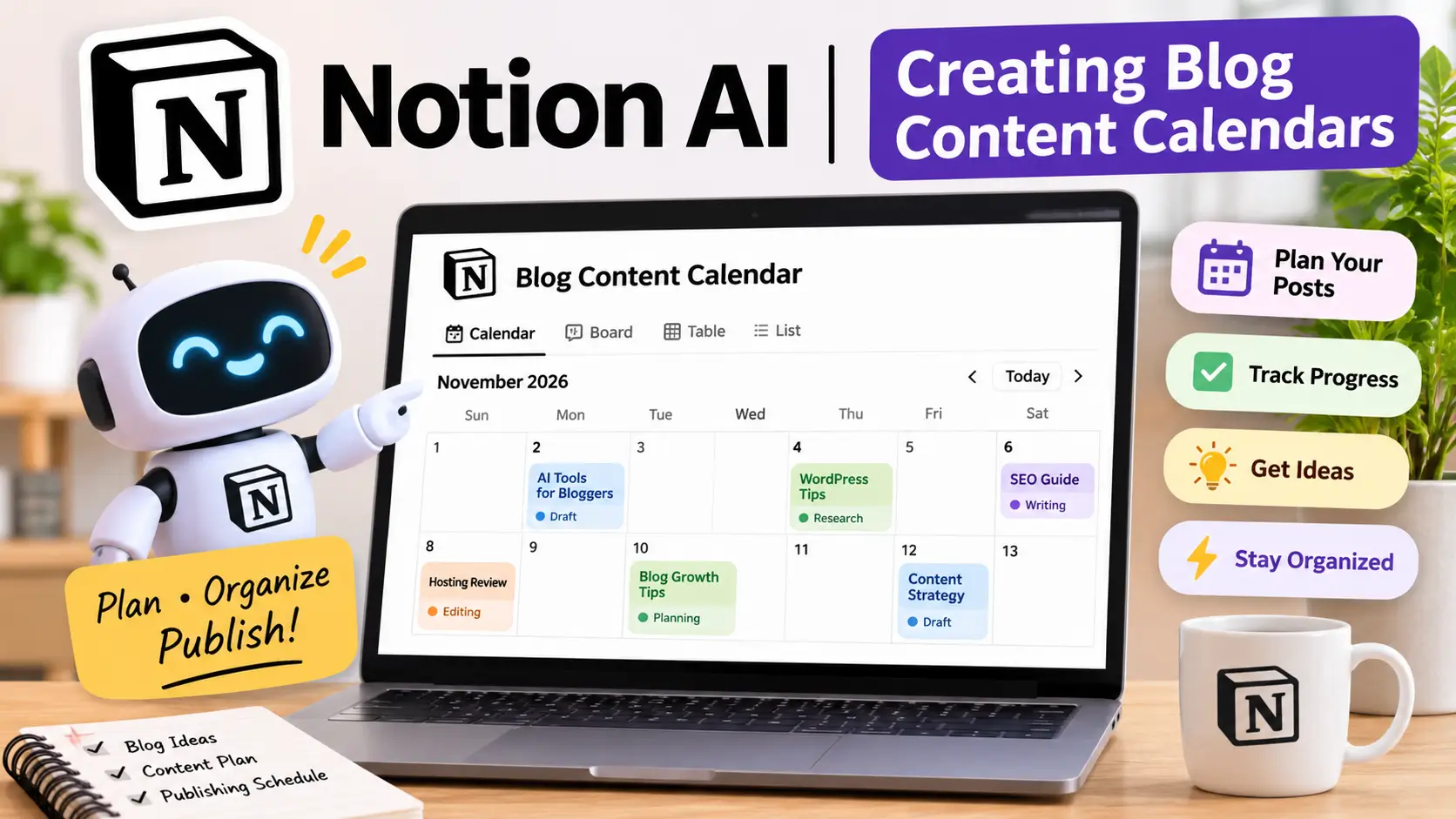
A content calendar helps bloggers plan what to publish and when to publish it. Without a proper schedule, it is easy to forget article ideas, miss publishing deadlines, or spend too much time deciding what to write next.
Notion makes content calendar creation easier through its database and project management features. You can create a dedicated blogging calendar and organize articles according to their publishing dates and progress.
For example, a technology blog can use a content calendar with the following information:
| Blog Topic | Category | Status | Publishing Date |
|---|---|---|---|
| Best AI Tools for Bloggers | AI Tools | Writing | November 8 |
| Bluehost Review 2026 | Hosting | Editing | November 12 |
| Best WordPress Plugins | WordPress | Research | November 16 |
| AI SEO Tools | SEO | Planned | November 20 |
| Website Security Guide | Tutorials | Planned | November 25 |
You can customize this calendar according to your publishing strategy and create different views, such as a calendar, table, or board.
Notion AI can also assist with brainstorming new article ideas, organizing planning notes, and generating initial content suggestions.
Why is this useful for bloggers?
- Helps maintain a consistent publishing schedule.
- Keeps upcoming article ideas organized.
- Makes it easier to monitor writing progress.
- Helps manage multiple content categories.
- Reduces confusion when working on several articles.
If you publish regularly, a well-organized content calendar can make your blogging workflow much easier to manage.
Article Outlines and Task Management
Preparing an article outline before writing helps you organize information and create a logical structure. Instead of starting with a blank document, you can plan the introduction, main headings, supporting sections, and FAQs in advance.
Notion AI can help generate initial outlines from a topic or a short description.
For example, if you are planning an article titled “Best Web Hosting Providers for Beginners in 2026,” you can use Notion AI to prepare a basic structure covering hosting types, important features, pricing, advantages, limitations, and frequently asked questions. You can then review and customize the outline according to your target audience and SEO requirements. Notion also provides task management capabilities that help you track the different stages of article production.
A typical blogging workflow might include: Topic research, Keyword research, Article outline preparation, Content writing, Editing and proofreading, SEO optimization, Image creation, Final review and publishing. You can assign due dates, create task lists, and mark completed activities as your article moves through the publishing process.
For bloggers managing multiple articles, this combination of AI assistance and task management can make content production more organized.
Content Organization
As a blog grows, the amount of information you need to manage also increases. You may have dozens of article ideas, keyword lists, research documents, product comparisons, website links, and unpublished drafts.
Keeping everything in separate files can make it difficult to find important information when you need it.
Notion helps solve this problem by allowing users to create a structured workspace with pages, folders, databases, and linked documents.
For example, you can organize your blogging workspace into different sections:
- Content Ideas: Store future article topics and brainstorming notes.
- Keyword Research: Maintain primary and secondary keyword lists.
- Article Drafts: Keep outlines and writing documents together.
- Published Articles: Track completed posts and their URLs.
- Affiliate Research: Organize product information, pricing, and reference links.
- SEO Tasks: Maintain optimization checklists and improvement ideas.
- Content Updates: Track older articles that need revisions.
You can also connect related pages and databases, making it easier to move between research, planning, and writing.
This is particularly useful for bloggers who manage multiple websites or publish content across different categories.
AI Writing and Summarization
Notion AI also includes writing and summarization capabilities that can help bloggers work with existing content and research materials.
Instead of using AI only to generate new paragraphs, you can use it to improve, organize, and understand information already stored in your workspace.
Some useful capabilities include:
- AI Writing Assistance: Generate initial drafts, introductions, summaries, and other written content based on your instructions.
- Content Summarization: Convert lengthy notes and documents into shorter summaries that are easier to review.
- Text Improvement: Rewrite sentences, adjust tone, improve clarity, and make content easier to understand.
- Brainstorming: Generate topic ideas, headlines, and suggestions for different content projects.
- Action Item Extraction: Identify tasks and important points from meeting notes or written documents.
- Translation and Editing: Assist with translating text and correcting grammar or spelling. For example, if you collect several research notes for a hosting review, Notion AI can help summarize those notes into a more organized document. You can then use the summarized information to prepare your article outline and complete the writing process. However, AI-generated information should always be checked before publication. Notion AI is most effective as a writing and productivity assistant, not as a replacement for independent research or fact-checking.
Notion AI Pricing and Plans
Notion offers different subscription options depending on your workspace requirements. Its pricing structure includes a free plan, paid workspace plans, and AI-related capabilities.
Notion AI access and usage conditions depend on the selected subscription and current product policy.
| Plan | Main Purpose | Best For |
|---|---|---|
| Free | Basic workspace, notes, and databases | Individual bloggers |
| Plus | Expanded workspace and collaboration features | Growing blogs and small teams |
| Business | Advanced workspace and team management | Professional content teams |
| Enterprise | Advanced administration and organizational controls | Large organizations |
Notion AI is available through the current AI offering, but its availability and usage conditions can vary by plan. Do not assume that every subscription includes unlimited AI usage.
Which Notion plan should bloggers choose?
If you are a beginner blogger who mainly needs a place to organize article ideas, create calendars, and maintain writing notes, the free plan is a good starting point.
The Plus plan may be useful when you need additional workspace features or collaborate with other writers.
Business and Enterprise plans are generally more suitable for larger teams that need advanced collaboration, administration, and workspace controls.
Before upgrading, check Notion’s official pricing page to confirm the latest plan details, AI access, usage conditions, and billing options.
Pros and Cons of Notion AI
Before adding Notion AI to your blogging workflow, consider its main advantages and limitations.
| Pros of Notion AI | Cons of Notion AI |
| Combines writing assistance and project management in one platform. | New users may need time to understand the workspace and database system. |
| Helps organize multiple blog articles and content ideas. | Advanced AI access may require an eligible paid subscription. |
| Makes content calendar creation easier. | AI-generated content still needs editing and fact-checking. |
| Provides AI-assisted writing and summarization. | Setting up a detailed blogging workspace can take time. |
| Offers customizable databases and task management. | It is not a dedicated SEO research platform. |
| Helps organize research notes and reference materials. | Large and complicated workspaces can become difficult to maintain without proper organization. |
| Supports collaboration between writers and editors. | |
| Provides a free plan for basic workspace management. |
Overall, Notion AI is more useful for managing the blogging process than for performing specialized SEO research or producing complete, publication-ready articles.
Is Notion AI Best for Bloggers Managing Multiple Articles?
Notion AI is particularly suitable for bloggers who manage several articles, websites, or content projects simultaneously.
If you regularly publish blog posts, update older articles, collect research information, and manage deadlines, having a centralized workspace can make your daily work more organized.
It can be especially useful for:
- Beginner Bloggers: Organize article ideas and build a simple publishing schedule.
- Professional Bloggers: Manage multiple drafts, deadlines, and content projects.
- Affiliate Marketers: Maintain product research, comparison notes, and review outlines.
- Freelance Writers: Track assignments, writing progress, and client projects.
- Content Teams: Coordinate article planning, editing, and publishing tasks.
- Multi-Website Owners: Manage content calendars and research across different websites.
For example, if you operate multiple content websites, you can create separate workspaces or databases for each website and track their publishing schedules independently.
This makes it easier to understand what is planned, what is being written, and which articles are ready for publication.
Final Verdict: Is Notion AI Worth It for Bloggers in 2026?
Notion AI is a useful productivity and organization tool for bloggers who want to manage their content creation process more efficiently.
Its biggest strength is the combination of document management, content calendars, databases, task tracking, and AI-powered writing assistance in one platform.
While tools such as ChatGPT and Rytr are more focused on generating written content, Notion AI is especially valuable for planning and organizing the work behind a successful blog. The free plan is a good starting point for bloggers who need basic content management, while paid subscriptions may be worth considering as their publishing requirements grow.
Our recommendation: If you manage multiple articles, websites, or content projects, Notion AI is worth exploring. Use it to organize your research, prepare article outlines, maintain publishing calendars, and track your writing progress.
For bloggers who want a more structured content creation process, Notion AI can become a valuable part of their everyday workflow.
Best Free AI Tools for Bloggers in 2026
Not every blogger has the budget to pay for several AI subscriptions, especially when starting a new website. The good news is that you can find plenty of free AI tools for bloggers that help with writing, research, grammar correction, image creation, and SEO tasks.
Many popular AI platforms offer free plans that are useful for beginners, freelance writers, and website owners. You can use these tools to generate blog ideas, prepare article outlines, research topics, improve readability, and create attractive visuals without immediately spending money.
However, free versions usually come with certain restrictions. Some limit the number of prompts you can send, while others restrict advanced features, image generation, or the amount of text you can process.
In this guide, we’ll look at the best free AI tools for bloggers in 2026, what you can use them for, and where their free plans may fall short.
Best Free AI Tools for Bloggers: Quick Comparison
Here is a quick overview of free AI tools that can help with different parts of your blogging workflow.
| Tool | Free-use purpose | Best for |
|---|---|---|
| ChatGPT | Blog ideas, outlines, and drafts | AI writing assistance |
| Google Gemini | Research and brainstorming | Topic exploration |
| Claude | Writing and editing assistance | Long-form content support |
| Perplexity AI | Web research and source discovery | Finding information |
| Grammarly | Grammar and spelling checks | Proofreading |
| Canva | Blog graphics and featured images | Visual content creation |
| QuillBot | Paraphrasing and summarizing | Rewriting and editing |
Note: Free-plan features and usage limits can change. Check each provider’s official pricing page before relying on a particular feature.
1. ChatGPT – Best Free AI Writing Tool for Bloggers
ChatGPT is one of the most useful free AI tools for bloggers who need help planning and creating content. You can use it to generate blog post ideas, prepare outlines, write introductions, create FAQs, and improve existing paragraphs.
For example, if you are planning an article about web hosting, ChatGPT can suggest relevant headings, explain hosting terminology in beginner-friendly language, and help organize your content into a logical structure.
What bloggers can do with ChatGPT:
- Generate blog topic ideas based on a niche.
- Create article outlines and heading structures.
- Draft introductions and conclusion sections.
- Prepare meta descriptions and FAQ questions.
- Rewrite complicated sentences in simpler language.
- Brainstorm titles and content ideas.
The free version is a useful starting point for bloggers who want writing assistance without purchasing a subscription. However, access to certain advanced tools, file uploads, image creation, and other features may have usage limits.
Limitation: ChatGPT-generated content should not be published without reviewing it. Always verify factual statements, add your own examples, and make sure the final article provides something valuable to readers.
2. Google Gemini – Best for Research and Brainstorming
Google Gemini is another useful option for bloggers who want to research topics and explore new content ideas. It can help explain unfamiliar subjects, organize information, compare concepts, and suggest different angles for an article.
Suppose you are writing about AI tools for small businesses. You can ask Gemini to suggest important subtopics, explain how different tools work, or create a list of questions that readers may have about the subject.
What bloggers can do with Gemini:
- Discover new blog topic ideas.
- Brainstorm article headings and subheadings.
- Understand technical subjects.
- Create content outlines.
- Compare products and services.
- Summarize information for further research.
Gemini’s free access makes it a practical option for bloggers who want an additional research and brainstorming assistant. Its available features and usage limits depend on the current free access level.
Limitation: Do not treat every AI-generated answer as verified information. Check important facts against official websites and reliable sources, particularly when writing product reviews, pricing guides, or technical articles.
3. Claude – Best for Writing Assistance
Claude is a helpful AI writing assistant for bloggers who want to improve the clarity, flow, and structure of their articles. It can help develop paragraphs, rewrite awkward sentences, explain complex ideas, and suggest improvements to existing content.
One useful approach is to write your first draft yourself and then ask Claude to review it. You can request simpler language, better transitions, or a more natural writing style while keeping the original meaning.
What bloggers can do with Claude:
- Improve article structure and readability.
- Rewrite unclear paragraphs.
- Expand short explanations.
- Prepare blog introductions and conclusions.
- Summarize lengthy information.
- Review drafts for clarity and consistency.
Claude offers a free plan, so bloggers can try its writing features before considering a paid subscription. However, free usage is limited, and availability may depend on demand and the complexity of your requests.
Limitation: Claude can still produce inaccurate information or overlook important details. Review every suggestion and maintain your own writing style instead of relying entirely on AI-generated text.
4. Perplexity AI – Best Free AI Research Tool
Research is an important part of creating useful blog content. Perplexity AI can help bloggers find information from online sources and explore a topic through conversational searches.
Unlike a traditional search engine that mainly displays a list of websites, Perplexity provides summarized answers with source references. This can make it easier to discover relevant pages and identify sources for further reading.
For example, if you are preparing a hosting comparison article, you can use Perplexity to explore hosting features, discover relevant documentation, and find sources that you can investigate.
What bloggers can do with Perplexity AI:
- Research new blog topics.
- Discover relevant websites and sources.
- Find information about products and services.
- Explore industry trends.
- Prepare research notes.
- Identify questions that need further investigation.
The free plan is suitable for basic searches and occasional research. Advanced Pro Search and other premium capabilities have more restricted access.
Limitation: Always open and read the original sources before using information in your article. AI summaries can miss context, misunderstand details, or present outdated information.
5. Grammarly – Best Free Grammar and Editing Tool
Publishing an article with spelling mistakes, grammatical errors, or unclear sentences can affect its readability. Grammarly helps bloggers review their writing and improve basic language accuracy.
You can use it while writing blog posts, editing website pages, preparing emails, or proofreading content before publication.
What bloggers can do with Grammarly:
- Identify spelling mistakes.
- Check basic grammar.
- Find punctuation errors.
- Improve sentence clarity.
- Review writing for readability.
- Proofread article drafts.
Grammarly’s free version is a useful choice for bloggers who want to improve their writing without paying for a separate editing subscription. Some advanced suggestions and writing features require a paid plan.
Limitation: Grammarly cannot replace careful proofreading. It may suggest changes that affect your intended meaning, so review its recommendations before accepting them.
6. Canva – Best Free AI Image and Graphic Design Tool
Blogging is not only about writing. Attractive featured images, illustrations, comparison graphics, and social media designs can make your website content more engaging.
Canva offers a free design plan that includes templates, design tools, stock assets, and limited access to selected AI features. Bloggers can use it to create professional-looking visuals without needing advanced graphic design skills.
What bloggers can create with Canva:
- Blog featured images and banners.
- Article illustrations and infographics.
- Pinterest pins and social media graphics.
- Comparison charts and visual summaries.
- Simple promotional designs.
- Branded graphics for website pages.
Canva Free is particularly useful for beginners who want to create website graphics using ready-made templates. However, some premium templates, stock assets, and advanced AI features are restricted to paid plans or limited allowances.
Limitation: Check the licensing terms for images, graphics, and other assets before using them commercially. Also, make sure your featured images have suitable dimensions and readable text.
7. QuillBot – Best Free AI Paraphrasing Tool
QuillBot is a useful writing assistant for bloggers who want to improve sentence structure and make their writing easier to understand. Its paraphrasing tool can suggest alternative ways to express an idea while helping preserve the original meaning.
For example, if a paragraph sounds repetitive or contains complicated sentences, you can use QuillBot to explore clearer wording.
What bloggers can do with QuillBot:
- Rephrase sentences and paragraphs.
- Improve sentence flow.
- Summarize longer text.
- Check basic grammar.
- Explore alternative word choices.
- Make difficult sentences easier to read.
QuillBot provides free access to selected paraphrasing modes and basic writing features. However, the free version has restrictions, including a word limit for paraphrasing and fewer available modes than Premium.
Limitation: Paraphrasing does not make copied content original. Bloggers should use QuillBot to improve their own writing, not to disguise someone else’s article. Always add original explanations, examples, research, and insights.
Limitations of Free AI Tools for Bloggers
Free AI tools can help you manage many blogging tasks, but they are not always suitable for heavy or professional use. Before choosing a tool, understand what its free plan includes and which features require payment.
Here are some common limitations you may experience:
| Limitation | What it means for bloggers |
|---|---|
| Usage restrictions | You may have a limited number of advanced prompts or requests. |
| Limited AI features | Some tools reserve advanced writing, research, or design features for paid users. |
| Shorter processing limits | You may not be able to work with very long documents or large amounts of text. |
| Restricted image creation | Free plans may provide limited AI image-generation access. |
| Limited editing options | Advanced grammar, tone, and rewriting suggestions may require a subscription. |
| Less advanced SEO support | Free tools may not provide detailed keyword difficulty, competitor analysis, or content optimization data. |
| Changing free-plan policies | Providers can update their features and usage allowances over time. |
Can You Run a Blog Using Only Free AI Tools?
Yes. Beginners can manage many blogging tasks using free AI tools, especially when they combine different platforms instead of expecting one tool to do everything.
For example, you can use ChatGPT or Gemini to generate article ideas, Perplexity to discover research sources, Claude to improve paragraphs, Grammarly to check grammar, and Canva to design featured images.
For basic SEO assistance, you can also use free resources such as Google Search Console and Google Trends. These tools can help you understand search performance and explore audience interest without immediately investing in an expensive SEO subscription.
However, remember that AI tools should support your blogging process rather than replace your judgment. Your articles still need accurate information, original insights, useful examples, and a clear understanding of what readers are searching for.
Final Thoughts: Which Free AI Tools Should Bloggers Choose?
You do not need to purchase several AI subscriptions to start a successful blog. The best free AI tools for bloggers can help you with writing, research, editing, visual design, and everyday content planning.
If you are a beginner, start with a small combination of tools:
- ChatGPT or Gemini: For blog ideas, outlines, and brainstorming.
- Perplexity AI: For online research and source discovery.
- Claude: For writing assistance and improving article structure.
- Grammarly: For grammar and proofreading.
- Canva: For featured images and blog graphics.
- QuillBot: For paraphrasing and sentence improvement.
Try these tools with your regular blogging tasks and identify which ones genuinely save time. You can consider paid subscriptions later when you need higher usage limits, advanced features, or more specialized SEO capabilities.
The most important thing is not how many AI tools you use, but how effectively you use them to create helpful, trustworthy, and original content for your readers.
Best AI Tools for Different Blogging Tasks
Choosing the right AI tool depends on what you want to accomplish with your blog. Some platforms are better for researching topics, while others are designed for writing, SEO optimization, keyword research, grammar checking, or content planning.
Instead of using multiple tools for the same purpose, bloggers should select platforms that solve their biggest content challenges. The right combination of AI tools can help reduce repetitive work, improve content quality, and make your blogging workflow more organized.
Below is a comparison of the best AI tools for bloggers in 2026, based on different blogging tasks.
Best AI Tools Based on Your Blogging Needs
| Blogging Task | Recommended Tools | How They Help |
|---|---|---|
| Blog topic research | ChatGPT, Google Gemini | Generate topic ideas, explore niches, and identify relevant subtopics. |
| Content writing | Claude, ChatGPT | Create outlines, develop drafts, rewrite paragraphs, and improve readability. |
| SEO optimization | Surfer SEO, Frase | Optimize article structure, identify content gaps, and improve topical coverage. |
| Keyword research | Semrush, ChatGPT | Discover keyword opportunities, understand search intent, and organize keyword ideas. |
| Grammar checking | Grammarly | Find spelling, grammar, punctuation, and clarity issues. |
| Paraphrasing | QuillBot | Rewrite sentences and improve wording while maintaining the intended meaning. |
| Blog images | Canva AI | Create featured images, banners, infographics, and social media graphics. |
| Online research | Perplexity AI | Explore topics, discover online sources, and collect research references. |
| Content planning | Notion AI | Organize content calendars, manage article ideas, and track publishing tasks. |
Best AI Tools for Blog Topic Research
Recommended tools: ChatGPT and Google Gemini
Finding fresh and relevant blog topics is one of the first challenges bloggers face. ChatGPT and Google Gemini can help generate ideas based on your niche, target audience, and content goals.
For example, if you run a technology website, you can ask these tools to suggest topics related to web hosting, artificial intelligence, website security, blogging, and digital marketing.
You can also use them to create article outlines, suggest related questions, and identify different angles for a topic.
Best choice: ChatGPT is useful for structured brainstorming and content outlines, while Gemini offers another option for exploring ideas and researching subjects.
Best AI Tools for Content Writing
Recommended tools: Claude and ChatGPT
Writing high-quality blog posts takes time, especially when you regularly publish long-form articles. Claude and ChatGPT can support different stages of the writing process.
You can use these tools to prepare introductions, explain technical concepts, expand article sections, rewrite unclear sentences, and create FAQs.
Claude can be particularly helpful when reviewing longer drafts and improving the flow of paragraphs. ChatGPT is useful for generating outlines, brainstorming, and developing content ideas.
Best choice: Use Claude for writing and editing assistance and ChatGPT for planning and drafting. Always review the final article, verify information, and add your own experience or original insights.
Best AI Tools for SEO Optimization
Recommended tools: Surfer SEO and Frase
Creating an article is only one part of blogging. You also need to make sure your content covers the subject properly and matches the search intent of your target audience.
Surfer SEO and Frase help bloggers improve content organization and on-page SEO. Depending on the selected plan, they can provide keyword suggestions, content recommendations, topic coverage insights, and optimization guidance.
These platforms can help identify missing subtopics and suggest ways to make an article more comprehensive.
Best choice: Surfer SEO is useful for content optimization and structured SEO recommendations, while Frase can help with content research, outlines, and optimization.
Keep in mind that SEO tools provide recommendations, not guaranteed search rankings. Focus on satisfying readers’ needs rather than adding keywords unnecessarily.
Best AI Tools for Keyword Research
Recommended tools: Semrush and ChatGPT
Keyword research helps bloggers understand what people are searching for and which topics may be relevant to their websites.
Semrush offers dedicated keyword research features, including search volume, keyword difficulty, competitive analysis, and related keyword suggestions. The availability of these features depends on your subscription or free access limits.
ChatGPT can support the process by generating keyword ideas, grouping related terms, and suggesting long-tail keyword variations.
Best choice: Semrush is more suitable for detailed keyword data and SEO analysis, while ChatGPT works well for brainstorming and organizing keyword ideas.
Before targeting a keyword, check its search intent, competition, relevance, and potential value for your audience.
Best AI Tool for Grammar Checking
Recommended tool: Grammarly
Grammar and readability are important for publishing professional blog content. Grammarly helps bloggers identify spelling mistakes, grammatical errors, punctuation problems, and unclear sentences.
You can use it while preparing articles, editing website pages, or proofreading content before publication.
Its free version is useful for basic writing corrections, while some advanced suggestions and features are available through paid plans.
Best choice: Grammarly is a practical option for bloggers who want a dedicated proofreading tool without making the editing process complicated.
Best AI Tool for Paraphrasing
Recommended tool: QuillBot
QuillBot is designed to help users rewrite sentences, improve wording, and explore alternative ways to express an idea.
Bloggers can use it when a paragraph sounds repetitive, a sentence is difficult to understand, or the wording needs improvement.
Its paraphrasing and summarization features can support editing, although free usage has restrictions compared with the Premium plan.
Best choice: QuillBot is useful for sentence-level rewriting and improving readability.
However, paraphrasing should never be used to disguise copied content. Always create original explanations and verify that the rewritten text preserves the correct meaning.
Best AI Tool for Blog Images
Recommended tool: Canva AI
Visual content makes a blog more attractive and can help readers understand information more easily. Canva AI provides design tools that bloggers can use to create featured images, article banners, infographics, and promotional graphics.
You do not need professional graphic design experience to get started. Canva offers templates and editing tools that make it easier to prepare consistent visuals for your website.
Best choice: Canva AI is a good option for bloggers who want to create attractive graphics without learning complicated design software.
Check the availability and licensing terms of individual assets and AI features before using them commercially.
Best AI Tool for Online Research
Recommended tool: Perplexity AI
Research is essential when writing product reviews, comparison articles, technology guides, and informational blog posts.
Perplexity AI helps users explore questions and discover online sources through conversational search. It can provide summarized information alongside source references, making it easier to identify websites for further investigation.
For example, you can use it to research hosting features, compare software categories, or explore recent developments in the technology industry.
Best choice: Perplexity AI is useful for initial research and source discovery. Always open the original sources and confirm important information before including it in your article.
Best AI Tool for Content Planning
Recommended tool: Notion AI
Publishing articles consistently requires more than writing skills. Bloggers also need a system to organize ideas, plan publishing dates, manage drafts, and track completed articles.
Notion AI can support this workflow through its workspace and AI-assisted features. You can organize your blog calendar, create article task lists, summarize notes, and manage content projects in one place.
For example, a blogger managing multiple website categories can create separate content calendars for hosting reviews, AI tools, SEO guides, and technology updates.
Best choice: Notion AI is useful for bloggers who want to manage their content workflow and keep article ideas organized.
Which AI Tools Should You Choose for Your Blog?
You do not need every AI tool mentioned in this guide. Start with the platforms that match your current requirements and expand your toolkit as your website grows.
For beginners, a simple combination of ChatGPT, Grammarly, Canva, and Perplexity may be enough to manage basic content creation, proofreading, visual design, and research.
If your blog is growing and you want more advanced SEO capabilities, consider adding Semrush, Surfer SEO, or Frase. Bloggers who publish frequently may also benefit from using Notion AI to organize their editorial calendar.
The best AI tools for bloggers are the ones that improve your workflow without making content creation unnecessarily complicated. Choose carefully, compare free and paid features, and invest in subscriptions only when they provide clear value to your blogging goals.
How to Use AI Tools to Create a Blog Post
Using AI tools for blogging is not just about generating an article with one prompt. A better approach is to use different tools for specific tasks, from researching a topic to publishing the finished post.
For beginners, this workflow can make content creation more organized and reduce the time spent on repetitive work. You can use AI to generate ideas, prepare an outline, improve your writing, and identify SEO opportunities while keeping the final content original and useful.
In this section, we’ll walk through a simple process showing how to use the best AI tools for bloggers to create a blog post from scratch.
AI Blogging Workflow: From Topic Research to Publishing
Step 1: Topic Research
Recommended tools: ChatGPT, Google Gemini, and Perplexity AI
Start by selecting a topic that is relevant to your website’s niche and useful to your target audience. If you are unsure what to write about, use AI tools to explore ideas and identify possible article angles.
For example, if your website covers blogging and technology, you can ask ChatGPT:
Prompt example:
“Suggest 15 informative blog post ideas about web hosting for beginners. Focus on common problems, beginner questions, and topics with useful search potential.”
You can then use Gemini to explore additional ideas and Perplexity AI to discover relevant online sources.
What to do at this stage:
- Generate a list of relevant blog topics.
- Identify common questions from your target audience.
- Explore related subjects and subtopics.
- Find reliable sources for further research.
- Select one topic that matches your website’s audience.
Important: AI-generated topic ideas are starting points, not proof of search demand. Check actual search results and keyword data before deciding what to publish.
Step 2: Keyword Research
Recommended tool: Semrush
Once you select a topic, the next step is keyword research. You need to understand what people search for, what information they expect, and which keywords are relevant to your article.
Semrush can help you explore keyword opportunities, search volume, keyword difficulty, related terms, and competitor topics, depending on your plan.
For example, if your main topic is AI writing tools, you might research keywords such as:
- AI writing tools for bloggers
- Best AI tools for blogging
- Free AI content writing tools
- AI tools for blog content creation
- AI tools for SEO optimization
Select one primary keyword and a few closely related secondary keywords. Also, review the search results to understand whether users are looking for comparisons, tutorials, product reviews, or general information.
What to do at this stage:
- Select a relevant focus keyword.
- Check search volume and keyword difficulty.
- Identify related and long-tail keywords.
- Analyze competing articles.
- Understand search intent before preparing the outline.
Important: Do not select keywords based only on search volume. Relevance to your website and the reader’s search intent are equally important.
Step 3: Create an Article Outline
Recommended tools: ChatGPT and Claude
Before writing the article, prepare a clear outline. A well-organized structure helps you cover the topic properly and prevents unnecessary repetition.
You can provide your primary keyword, target audience, and research notes to ChatGPT or Claude and ask for a detailed article roadmap.
Prompt example:
“Create a detailed blog post outline for the topic ‘Best AI Tools for Bloggers in 2026’. Include an introduction, comparison table, individual tool reviews, pricing considerations, pros and cons, FAQs, and a conclusion. Keep the structure beginner-friendly and avoid repeating the same information.”
Review the suggested headings and compare them with the questions and subtopics that appear in search results.
What to do at this stage:
- Create H2 and H3 headings.
- Arrange sections in a logical order.
- Include important questions readers may have.
- Plan comparison tables where useful.
- Identify places where examples or original insights are needed.
Tip: Treat the AI-generated outline as a draft. Adjust it to match your article’s purpose instead of following every suggestion automatically.
Step 4: Write the First Draft
Recommended tools: ChatGPT, Claude, and Writesonic
After finalizing your outline, start preparing the first draft. You can use ChatGPT, Claude, or Writesonic to develop individual sections and explain complicated subjects in simple language.
Rather than asking an AI tool to write a complete article in one response, work through your outline section by section. This gives you more control over the structure, accuracy, and writing style.
Prompt example:
“Write an informative section about the benefits of AI writing tools for beginner bloggers. Use simple English, explain practical examples, avoid exaggerated claims, and keep the content original. Do not invent product features or pricing.”
You can also provide verified research notes, official product information, and your own observations to make the draft more useful.
What to do at this stage:
- Write the introduction.
- Develop each section using your outline.
- Add practical examples and explanations.
- Prepare comparison tables where necessary.
- Write a useful conclusion and relevant FAQs.
Important: AI-generated text should not be your final version automatically. Add original explanations, check facts, remove repetitive statements, and make sure the article reflects your own editorial standards.
Step 5: SEO Optimization
Recommended tools: Surfer SEO and Frase
Once your first draft is ready, review it for on-page SEO. The goal is to make the article easy for both readers and search engines to understand.
Surfer SEO and Frase can provide suggestions related to topic coverage, headings, related terms, and content structure.
What to do at this stage:
- Add your focus keyword naturally.
- Include relevant secondary keywords where appropriate.
- Improve headings and subheadings.
- Add internal links to related articles.
- Link to reliable external sources when useful.
- Write a descriptive SEO title and meta description.
- Check whether the article satisfies the search intent.
Avoid adding keywords repeatedly just to increase keyword frequency. A helpful article with clear explanations is more valuable than content written only to satisfy an optimization score.
Step 6: Grammar and Editing
Recommended tool: Grammarly
After SEO optimization, review your article for grammar, spelling, punctuation, and readability.
Grammarly can help identify writing mistakes and suggest clearer sentence structures. You can also read the article yourself to check whether the content flows naturally from one section to another.
What to do at this stage:
- Correct spelling and grammar mistakes.
- Remove unnecessary repetition.
- Break long paragraphs into shorter sections.
- Improve unclear sentences.
- Check headings, tables, and formatting.
- Verify product names, prices, and technical details.
Tip: Read the complete article before publishing. Automated editing tools can miss contextual errors or suggest wording that changes the intended meaning.
Step 7: Create Featured Images
Recommended tool: Canva AI
A blog post also needs relevant visual content. A well-designed featured image can make your article look more professional and help it stand out on your website.
Canva AI and its design tools can help you create banners, illustrations, comparison graphics, and social media images.
For example, if your article is about AI writing tools, you can design a featured image with the article title, suitable AI-related graphics, and your website branding.
What to do at this stage:
- Create a featured image that matches the article topic.
- Use readable text and suitable image dimensions.
- Add supporting graphics where they improve understanding.
- Maintain consistent website branding.
- Compress images and use descriptive alt text before publishing.
Important: Use properly licensed images and graphics. Avoid adding too many visuals that slow down the website or distract readers from the article.
Step 8: Publish and Monitor Performance
Recommended tools: WordPress and Google Search Console
Once your article is researched, written, edited, and optimized, it is ready for publication.
If your website uses WordPress, add the article through your WordPress dashboard. Review its formatting on desktop and mobile devices before making it live.
After publication, Google Search Console can help you monitor how your content performs in Google Search.
What to do at this stage:
- Add the final article to WordPress.
- Set the permalink and meta description.
- Add relevant categories and tags.
- Check featured images, internal links, and mobile formatting.
- Submit the URL for indexing through Google Search Console when appropriate.
- Monitor impressions, clicks, search queries, and average position.
- Update the article when important information changes.
Remember that indexing and ranking are not guaranteed immediately after publication. Give the article time to collect performance data and make improvements based on what you learn.
Example: A Simple AI Blogging Workflow
Here is how you can combine these tools while creating one article:
| Blogging Stage | Tool | Main Activity |
|---|---|---|
| Topic research | ChatGPT, Gemini, Perplexity | Find ideas and research the subject. |
| Keyword research | Semrush | Analyze keywords and search intent. |
| Article outline | ChatGPT, Claude | Prepare headings and content structure. |
| First draft | Claude, ChatGPT, Writesonic | Develop article sections. |
| SEO optimization | Surfer SEO, Frase | Review content coverage and SEO suggestions. |
| Grammar checking | Grammarly | Correct writing and readability. |
| Featured image | Canva AI | Create blog graphics and banners. |
| Publishing | WordPress | Format and publish the article. |
| Performance tracking | Google Search Console | Monitor search performance. |
Tips for Creating Better Blog Posts with AI
AI can make blogging more efficient, but the quality of your final article still depends on how you use these tools. Keep the following practices in mind:
- Research before writing: Do not depend entirely on AI-generated answers. Check official sources and reliable references.
- Use specific prompts: Explain the topic, audience, writing style, and information you need.
- Avoid publishing raw AI drafts: Review and improve the content before making it public.
- Add original value: Include your own explanations, examples, comparisons, and useful insights.
- Verify important details: Double-check pricing, product features, technical specifications, and statistics.
- Focus on readers: Make sure the article answers real questions instead of simply repeating keywords.
- Update older articles: Review published content when product details, prices, or industry information change.
Final Thoughts
Creating a blog post with AI does not require an expensive collection of subscriptions. You can build an effective workflow by combining a few tools for research, writing, SEO, editing, and visual design.
The best AI tools for bloggers should support your creative process rather than replace it. Start with free plans where possible, understand their limitations, and upgrade only when you need additional features.
Most importantly, focus on publishing accurate, original, and helpful content. AI can speed up several blogging tasks, but your research, editorial judgment, and understanding of your audience are what make an article genuinely valuable.
Are AI Tools Worth It for Bloggers in 2026?
AI tools have become useful assistants for bloggers who want to create content more efficiently. From researching new topics and preparing article outlines to checking grammar and designing featured images, AI can support almost every stage of the blogging process.
However, does every blogger really need a paid AI subscription? The answer depends on your publishing frequency, content requirements, budget, and the type of website you manage.
For beginners, free AI tools may be enough to start a blog and manage basic content tasks. Established bloggers and content teams may benefit from paid subscriptions when they need advanced features, higher usage limits, or specialized SEO capabilities.
Let’s look at the benefits, limitations, and actual value of using AI tools for blogging in 2026.
1. How AI Tools Save Time for Bloggers
One of the biggest advantages of using AI tools is that they can reduce the time spent on repetitive blogging tasks.
Writing a complete article involves several activities, including topic research, keyword planning, outlining, drafting, editing, and formatting. Handling every task manually can take considerable time, particularly if you publish multiple articles each week.
AI tools can help speed up parts of this process.
For example:
- Topic ideas: ChatGPT and Gemini can suggest article topics based on your website niche.
- Article outlines: ChatGPT and Claude can organize ideas into headings and subheadings.
- Writing assistance: AI writing tools can help develop first drafts and explain complex subjects.
- Editing: Grammarly can identify grammar, spelling, and clarity issues.
- Visual design: Canva AI can help create featured images, banners, and supporting graphics.
- Content planning: Notion AI can help organize article ideas and publishing schedules.
These tools do not eliminate the work involved in blogging, but they can make the process more manageable.
For example, instead of starting an article with a blank page, you can use AI to prepare an outline and then develop each section using your research and knowledge.
2. How AI Tools Help With Content Research
Research is an important part of creating informative and trustworthy blog posts. Before publishing an article, you need to understand the subject, identify relevant questions, and collect information from reliable sources.
AI research tools can make this process easier by helping you explore unfamiliar topics and organize information.
Some useful examples include:
- Perplexity AI: Helps explore online topics and discover sources for further research.
- Google Gemini: Supports brainstorming, topic exploration, and explanations.
- ChatGPT: Helps identify related questions, organize research notes, and suggest article angles.
- Semrush: Provides dedicated SEO and keyword research data, depending on your subscription.
For instance, if you are preparing a hosting review, you can use AI to create a list of important features to investigate, such as storage, backups, SSL, renewal pricing, security, and customer support.
You should then verify these details using the hosting provider’s official website and other reliable sources.
AI is useful for discovering information, but it should not replace proper research. Always check important facts before including them in your article.
3. Are Paid AI Subscriptions Worth the Cost?
Paid AI subscriptions can be worthwhile, but they are not necessary for every blogger.
The decision should depend on how frequently you publish content and whether the paid features solve a real problem in your workflow.
For example, a beginner publishing two articles per month may not need several paid subscriptions. Someone managing multiple websites or producing content regularly may benefit from higher usage limits and advanced features.
Here is a simple comparison:
| Requirement | Free AI Tools | Paid AI Tools |
|---|---|---|
| Blog topic ideas | Suitable for basic brainstorming | More usage capacity and additional capabilities may be available. |
| Content writing | Useful for short drafts and assistance | Higher limits and advanced features, depending on the platform. |
| Online research | Suitable for basic research | More advanced research capabilities may be included. |
| Grammar checking | Basic corrections | Advanced writing and editing suggestions. |
| Image creation | Free templates and limited AI features | More premium assets and expanded AI capabilities. |
| SEO research | Basic assistance from free resources | More detailed keyword and competitor analysis. |
| Content planning | Basic organization | Additional AI and collaboration features, depending on the plan. |
When should you consider paying?
A paid subscription may make sense when:
- You regularly reach the free plan’s usage limits.
- You publish articles frequently.
- You need advanced research or writing features.
- You manage multiple websites or content projects.
- You require specialized SEO data and competitor analysis.
- The time saved justifies the subscription cost.
Before purchasing, compare monthly and annual billing, renewal prices, usage limits, and cancellation terms. Avoid paying for several tools that perform nearly identical tasks.
4. Limitations of AI-Generated Content
Although AI tools can support content creation, they also have limitations. Relying entirely on generated text can result in articles that lack originality, depth, and a clear understanding of the subject.
Here are some common problems bloggers should consider:
Inaccurate information: AI tools may generate incorrect facts, outdated product details, or misleading explanations.
Repetitive writing: AI-generated articles can sometimes repeat the same points across different sections without adding meaningful information.
Limited personal experience: An AI tool cannot honestly claim to have tested a hosting service, used a software product, or experienced a service unless that information comes from verified human-provided evidence.
Generic content: If you use common prompts without adding original research or insights, your article may look similar to many other pages covering the same topic.
Outdated information: Product features, subscription prices, and company policies can change. AI-generated answers may not reflect the latest details.
Lack of editorial judgment: AI may not fully understand your audience, your website’s tone, or which information deserves the most attention.
For these reasons, AI-generated content should always be treated as a draft or writing assistant output rather than a finished article.
5. Why Human Editing and Fact-Checking Are Important
Human editing is one of the most important steps in an AI-assisted blogging workflow.
AI can help generate content quickly, but a human editor needs to check whether the information is accurate, useful, relevant, and easy to understand.
For example, when writing a hosting review, you should verify:
- Official hosting plan names and features.
- Introductory prices and renewal rates.
- Billing periods and additional charges.
- Storage, bandwidth, and website limits.
- SSL, backup, security, and migration features.
- Performance claims and uptime information.
- Customer support options and service terms.
Do not publish performance scores, personal testing claims, or product recommendations without supporting evidence.
You should also improve the article by adding original comparisons, practical examples, useful explanations, and your own editorial perspective.
Google recommends creating helpful, reliable, people-first content rather than producing pages primarily to attract search traffic. Its guidance also emphasizes originality, accuracy, and meaningful value when using AI or automation. <a href=”https://developers.google.com/search/docs/fundamentals/creating-helpful-content“>Google Search Central’s helpful content guidance</a> is worth reviewing before publishing AI-assisted articles.
The goal is not simply to make AI-generated content sound human. The goal is to make the final article genuinely helpful to readers.
6. Can Beginners Start Blogging Using Free AI Tools?
Yes. Beginners can start blogging without purchasing expensive AI subscriptions.
Several popular platforms offer free access to useful writing, research, editing, and design features. By combining a few tools, you can manage most basic content creation tasks.
Here is a simple free toolkit for a new blogger:
| Blogging Requirement | Free Tool to Start With |
|---|---|
| Blog ideas and outlines | ChatGPT or Google Gemini |
| Online research | Perplexity AI |
| Writing assistance | ChatGPT or Claude |
| Grammar checking | Grammarly |
| Paraphrasing and rewriting | QuillBot |
| Featured images | Canva |
| Basic SEO performance monitoring | Google Search Console |
| Search trend exploration | Google Trends |
You can start by selecting a niche, researching topics, preparing an article outline, and writing useful content with the help of these tools.
As your website grows, you can decide whether paid tools such as Semrush, Surfer SEO, or premium AI writing subscriptions are worth the investment.
My recommendation for beginners: Start with free plans and focus on publishing quality content consistently. Upgrade only when you understand which features you actually need.
Final Verdict: Are AI Tools Worth It for Bloggers in 2026?
Yes, AI tools are worth considering for bloggers in 2026, especially when they are used to support research, writing, editing, SEO, and content planning.
They can save time, make unfamiliar topics easier to explore, and help beginners organize their blogging workflow. However, they cannot replace original research, real product testing, human judgment, or careful fact-checking.
If you are starting a blog, free tools such as ChatGPT, Gemini, Perplexity, Grammarly, and Canva are a practical starting point. If you publish frequently or manage several websites, paid subscriptions may offer better value through additional features and higher usage limits.
Ultimately, the best approach is to combine AI assistance with human expertise. Use technology to make your work more efficient, but keep accuracy, originality, and reader value at the center of every article.
Pros and Cons of Using AI Tools for Blogging
The best AI tools for bloggers can make content creation easier by helping with research, writing, SEO optimization, idea generation, and visual design. They allow bloggers to save time and manage different content-related tasks more efficiently.
However, AI tools are not perfect. They can sometimes provide inaccurate information, generate repetitive content, or produce writing that lacks a unique perspective. That is why bloggers should use AI as an assistant rather than rely on it to create and publish content without reviewing it.
Here is a quick comparison of the main advantages and disadvantages of using AI tools for blogging.
| Pros | Cons |
|---|---|
| Faster content creation: AI tools can help create article outlines, introductions, drafts, and summaries in less time. | May generate inaccurate information: AI-generated answers can contain outdated facts or incorrect details, so fact-checking is essential. |
| Helps generate new ideas: Bloggers can use AI to discover topic ideas, headlines, FAQs, and different content angles. | Can produce repetitive content: AI writing may use similar phrases, structures, and explanations across multiple articles. |
| Saves research time: Tools such as ChatGPT, Gemini, and Perplexity can help organize information and explore topics. | Paid subscriptions can be expensive: Advanced features, higher usage limits, and premium plans may increase blogging costs. |
| Supports SEO workflows: AI can assist with keyword ideas, content outlines, meta descriptions, and content optimization. | Needs human editing: AI-generated content often requires editing to improve accuracy, readability, tone, and usefulness. |
| Helps create visuals: AI-powered design tools can help bloggers create featured images, graphics, and social media visuals. | AI-generated content may lack originality: Without personal experience, original research, and creative input, articles can feel generic. |
Should Bloggers Depend Completely on AI Tools?
No. AI tools can support almost every stage of blogging, but they should not replace human knowledge, creativity, and judgment. Bloggers should review AI-generated information, verify important facts, add their own insights, and make sure every article provides genuine value to readers.
The best AI tools for bloggers are most useful when combined with human editing and a clear content strategy. This approach helps bloggers work more efficiently while maintaining originality, accuracy, and reader trust.
Tips for Choosing the Right AI Tools for Your Blog
With so many AI-powered platforms available, choosing the right one for your blogging needs can be challenging. Some tools are designed for content writing, while others focus on SEO, keyword research, grammar correction, image creation, or content planning. Instead of subscribing to every popular platform, focus on the features that can genuinely improve your blogging workflow.
Here are some practical tips to help you choose the best AI tools for bloggers.
- Identify your blogging Requirements : Before choosing an AI tool, understand which tasks take the most time in your blogging process. If you struggle with writing articles, consider an AI writing assistant. If keyword research and search optimization are your main challenges, look for tools that support SEO workflows. For example, ChatGPT and Claude can help with writing and brainstorming, while Surfer SEO and Frase focus more on content optimization. Choosing tools based on your actual requirements will help you avoid unnecessary subscriptions.
- Compare Free and Paid Plans : Many AI platforms offer free versions with limited features, usage credits, or daily requests. These plans can be useful if you are a beginner or publish only a few articles each month. Before upgrading, compare the free and premium plans carefully. Check monthly or annual costs, usage limits, available features, and cancellation terms. A paid subscription is worth considering when its additional features provide enough value to justify the expense.
- Check Features Before Purchasing : Do not subscribe to an AI platform just because it is popular. Review its features and make sure they match your content requirements. For example, check whether the tool offers: Blog topic and content idea generation, Article outlines and long-form writing assistance, Keyword suggestions and SEO recommendations, Grammar and readability improvements, Content rewriting and summarization, AI image generation or design features, Content organization and collaboration options. A tool with useful features for your workflow is more valuable than one with many features you may never use.
- Consider Ease of Use : An AI tool should make blogging easier, not create another complicated task. Look for a clean interface, simple navigation, helpful templates, and clear instructions. If you are new to blogging, start with beginner-friendly platforms that require little technical knowledge. You can explore advanced tools later as your content strategy and publishing requirements grow.
- Check WordPress Compatibility and Integrations : If you publish articles through WordPress, check whether your preferred AI tools work smoothly with your existing setup. Some platforms offer WordPress plugins, browser extensions, or integrations that help simplify content creation and publishing. If you publish articles through WordPress, check whether your preferred AI tools work smoothly with your existing setup. Some platforms offer WordPress plugins, browser extensions, or integrations that help simplify content creation and publishing.
- Avoid Buying Multiple Tools With Overlapping Features : Many AI platforms offer similar capabilities. For example, several tools can generate blog outlines, rewrite paragraphs, create summaries, or suggest keywords. Subscribing to multiple platforms with nearly identical features can increase your monthly expenses without improving your results. Start with one general-purpose AI assistant and add specialized tools only when you identify a specific need that your existing tools cannot handle.
- Choose Tools That Provide Genuine Value : The right AI tool should improve your productivity, content quality, or overall blogging process. Do not judge a platform only by its feature list or marketing claims. Try its free version or trial, if available, and evaluate how well it performs on your actual blogging tasks. Consider its accuracy, output quality, time savings, pricing, and ease of use before making a long-term commitment. Final Tip: The best AI tools for bloggers are not necessarily the most expensive or feature-rich platforms. They are the tools that solve your content creation problems, fit your budget, and help you publish useful, original, and reader-focused articles consistently.
Use AI Tools Responsibly
AI tools can make blogging faster, but using them responsibly is important for maintaining content quality and reader trust. Avoid publishing AI-generated articles without reviewing, editing, and verifying the information.
Keep these best practices in mind:
- Verify important information: Check facts, statistics, pricing, product details, and technical information against reliable sources before publishing.
- Add your own experience and insights: Include personal observations, practical examples, original research, and useful recommendations instead of relying entirely on AI-generated text.
- Avoid copying other websites: Use AI to develop ideas and organize information, not to reproduce another publisher’s articles or rewrite them with only minor changes.
- Review every article: Edit AI-generated drafts to improve accuracy, readability, tone, and relevance to your target audience.
- Be transparent when appropriate: If readers would reasonably expect to know how content was created, consider explaining where and how AI was used.
- Protect private information: Avoid entering confidential business details, personal information, or sensitive customer data into AI platforms unless you understand their privacy and data-use policies.
- Follow search engine guidelines: Focus on creating helpful, reliable, people-first content rather than publishing large volumes of AI-generated pages simply to manipulate search rankings.
AI should support your knowledge and creativity, not replace them. By combining the best AI tools for bloggers with human judgment, proper research, and careful editing, you can create content that is informative, original, and genuinely useful to readers.
Final Verdict: Which AI Tools Are Best for Bloggers in 2026?
Choosing the right AI tools can make a significant difference in how you research, write, optimize, and manage your blog. However, there is no single platform that works perfectly for every blogger. The best AI tools for bloggers in 2026 depend on your experience, content goals, budget, and the type of work you publish.
After exploring different AI writing assistants, SEO platforms, research tools, and design applications, here are our recommendations for different types of bloggers.
Best AI Tools for Beginners
If you are new to blogging, start with tools that are easy to understand and offer multiple useful features.
- ChatGPT: Useful for generating blog ideas, creating outlines, writing introductions, and brainstorming content.
- Google Gemini: Helpful for research assistance, topic exploration, and content planning.
- Canva AI: A practical option for creating featured images, blog graphics, and social media designs.
These tools provide a good starting point without requiring a complicated blogging workflow.
Best AI Tools for Professional Bloggers
Professional bloggers often need more control over writing quality, content structure, and editing.
- Claude: Helpful for long-form writing, developing detailed explanations, and improving article structure.
- ChatGPT: Useful for content planning, research assistance, rewriting, and different blogging tasks.
- Grammarly: Helps improve grammar, spelling, clarity, and overall readability.
Together, these tools can support a more organized content creation and editing process.
Best AI Tools for SEO-Focused Bloggers
If your primary goal is to improve organic search visibility, consider tools that focus on keyword research and content optimization.
- Semrush: Offers keyword research, competitor analysis, and SEO-related insights.
- Surfer SEO: Helps optimize articles by providing content recommendations and on-page SEO guidance.
- Frase: Supports content research, topic analysis, and SEO-focused content planning.
These platforms can help you build a more structured SEO strategy, although rankings still depend on content quality, competition, website authority, and other search factors.
Best AI Tools for Budget-Conscious Bloggers
You do not need an expensive subscription to start a blog. Several AI platforms provide free plans that can help beginners manage basic content tasks.
- ChatGPT: Useful for brainstorming, outlines, writing assistance, and general content tasks within free usage limits.
- Google Gemini: Can help with research, idea generation, and content planning.
- Perplexity AI: Useful for exploring topics and finding information with source references.
Start with their free versions and consider upgrading only when you regularly reach usage limits or need additional features.
Best AI Tools for Content Marketing Teams
Content marketing teams often manage multiple projects, campaigns, brand guidelines, and publishing schedules. They may benefit from platforms designed for marketing content and team workflows.
- Jasper AI: Offers marketing-focused writing features, brand voice tools, and content templates.
- Copy.ai: Supports marketing copy creation, campaign content, and workflow automation.
These tools can help teams organize content production and maintain a more consistent marketing approach. Before purchasing, compare their team features, pricing, and usage limits.
Do You Really Need to Buy All 15 AI Tools?
No. You do not need to purchase all 15 AI tools to run a successful blog. Many platforms offer overlapping features, and subscribing to every tool can increase your expenses without providing much additional value.
A better approach is to begin with 2–4 useful AI tools that match your blogging requirements. For example:
- A general AI assistant for research and writing.
- An SEO tool for keyword research and content optimization.
- A grammar checker for editing and proofreading.
- A design tool for featured images and blog graphics.
You can start with free plans and gradually invest in premium subscriptions as your blog grows. This helps you control expenses while building a practical content creation workflow.
Our Final Recommendation
The best AI tools for bloggers are the ones that help you save time, improve your workflow, and create valuable content for your readers. Beginners may find ChatGPT, Gemini, and Canva sufficient, while professional and SEO-focused bloggers may benefit from specialized writing and optimization platforms.
Remember that AI-generated content still requires human judgment. Always verify information, add original insights, edit your drafts, and make sure your articles answer readers’ questions.
Ultimately, AI should make you a more efficient blogger, not replace your creativity or expertise. Choose tools carefully, use them responsibly, and focus on publishing helpful, original, and trustworthy content consistently in 2026.
What Are the Best AI Tools for Bloggers in 2026?
Some of the best AI tools for bloggers in 2026 include ChatGPT, Claude, Google Gemini, Jasper AI, Copy.ai, Writesonic, Surfer SEO, Frase, Grammarly, and Canva AI. Each platform serves a different purpose, such as content writing, research, SEO optimization, grammar checking, or image creation. The right choice depends on your blogging goals and budget.
Which AI Tool Is Best for Writing Blog Posts?
ChatGPT and Claude are popular choices for writing blog posts. They can help generate topic ideas, prepare article outlines, write drafts, improve paragraphs, and create introductions and conclusions. Claude is useful for developing detailed long-form content, while ChatGPT offers flexibility across different blogging tasks. Always review and edit the generated content before publishing.
Are There Any Free AI Tools for Bloggers?
Yes, several AI platforms offer free plans that bloggers can use. ChatGPT, Google Gemini, Perplexity AI, Grammarly, Canva, and QuillBot provide free access to selected features. Free plans may have usage limits or restricted functionality, but they can be enough for beginners who want to explore AI-powered blogging tools without an initial investment.
Can AI Tools Help Beginners Start a Blog?
Yes. AI tools can make the early stages of blogging easier, especially for people who have limited writing or technical experience. They can help beginners choose blog topics, generate content ideas, create article outlines, improve grammar, research keywords, and design featured images. However, beginners should also learn basic SEO, WordPress management, and content research instead of depending entirely on AI.
Is ChatGPT Good for SEO Content Writing?
Yes, ChatGPT can assist with SEO content writing by suggesting keywords, generating article outlines, preparing meta descriptions, creating FAQs, and improving content structure. It can also help organize information around a particular search topic. However, ChatGPT should not be treated as a complete SEO solution. Bloggers still need proper keyword research, search intent analysis, fact-checking, and original information to create useful content.
Which AI Tool Is Best for Keyword Research?
Semrush is a strong option for dedicated keyword research because it provides keyword data, search volume estimates, keyword difficulty, and competitor insights. ChatGPT and Gemini can also help brainstorm keyword ideas and related topics, but their suggestions should be checked against reliable SEO data before making content decisions.
Can AI-Generated Blog Posts Rank on Google?
Yes, AI-assisted blog posts can appear in Google search results. Google does not automatically reject content simply because AI was used to create it. However, content should be helpful, reliable, original, and created primarily for readers rather than to manipulate search rankings. Bloggers should verify facts, add meaningful insights, and avoid publishing large volumes of low-quality or repetitive AI-generated articles.
Are Paid AI Writing Tools Worth the Money?
Paid AI writing tools can be worth the investment if you publish regularly and need advanced features, higher usage limits, specialized writing capabilities, or team collaboration. However, not every blogger needs a premium subscription. Start with free plans, understand your requirements, and upgrade only when the additional features provide enough value to justify the cost.
Which AI Tool Is Best for Creating Blog Images?
Canva AI is a useful option for creating blog featured images, graphics, thumbnails, and social media designs. It offers design tools that are accessible to beginners. Bloggers can also explore its AI-powered features to develop visual ideas and create designs for their websites. Always review image quality, licensing terms, and usage rights before publishing visuals.
Can I Use AI Tools to Write an Entire Blog Post?
Yes, AI tools can help prepare a complete blog post, including the introduction, headings, main sections, FAQs, and conclusion. However, publishing the output without reviewing it is not recommended. AI-generated drafts may contain inaccurate details, repetitive explanations, or generic information. Add your own knowledge, verify important claims, improve readability, and edit the article to make sure it provides genuine value to readers.



Leave a Comment